How to plan and track a social media campaign, from the first post to the results
A campaign is a set of posts with one purpose: a launch, a sale, an event, a season. Spread across five networks and three weeks, it is easy to lose track of which posts belong to it and impossible to say whether it worked. This is how to plan one on a single page, keep its posts together in SPREVA, and read its results honestly.

Rodolfo MotaFounder of SPREVA
The short version
Write down one goal and one number before the first post. Make a campaign in SPREVA, give every post that belongs to it that campaign, and schedule them. The campaign's colour marks its posts in the calendar, and in Analytics the Campaign filter shows its reach, engagement and clicks against the period before. Add tracking parameters to your link so your site's analytics see the visits too.
Plan it on one page
A campaign that fits on one page is one the whole team can follow:
- The goal, as one number: sign-ups, bookings, sales, clicks.
- The audience: who you want to reach, and on which networks they are.
- The dates of the first and the last post.
- The posts: how many, what each one says, and where it goes.
- The link every post sends people to, with its tracking parameters.
Setting it up in SPREVA
- 1
Open Campaigns and press New campaign. Give it a Name, such as Spring launch, a Colour and, if you like, a Description with the goal.
- 2
Write the posts. In each, choose the campaign under Campaign, or type a slash and choose Add to a campaign.
- 3
Already have posts? On the campaign's page, Add existing posts. A bulk import can give all its rows the same campaign.
- 4
Schedule the posts or add them to a queue, as you would any other.
See it in the calendar
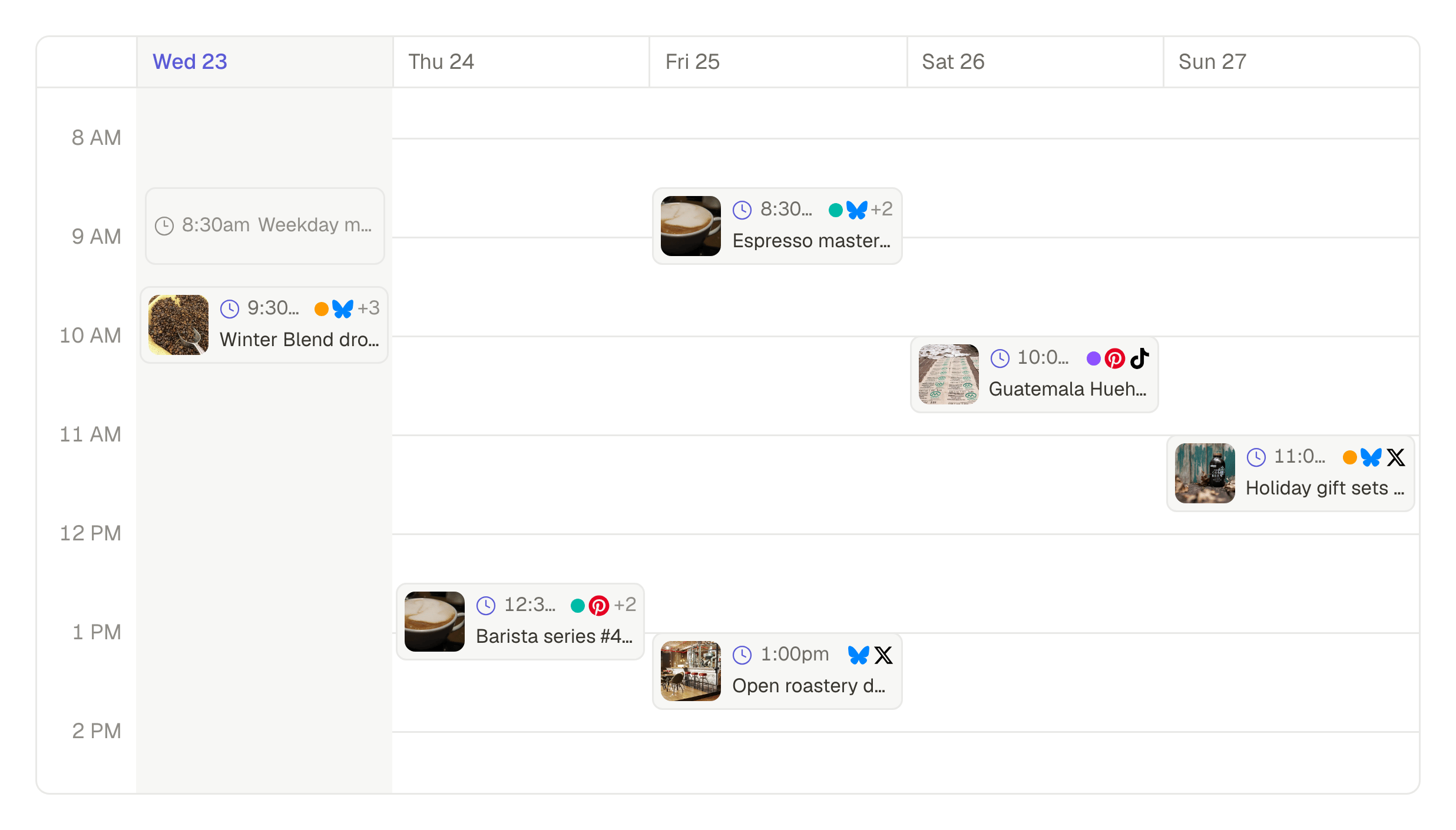
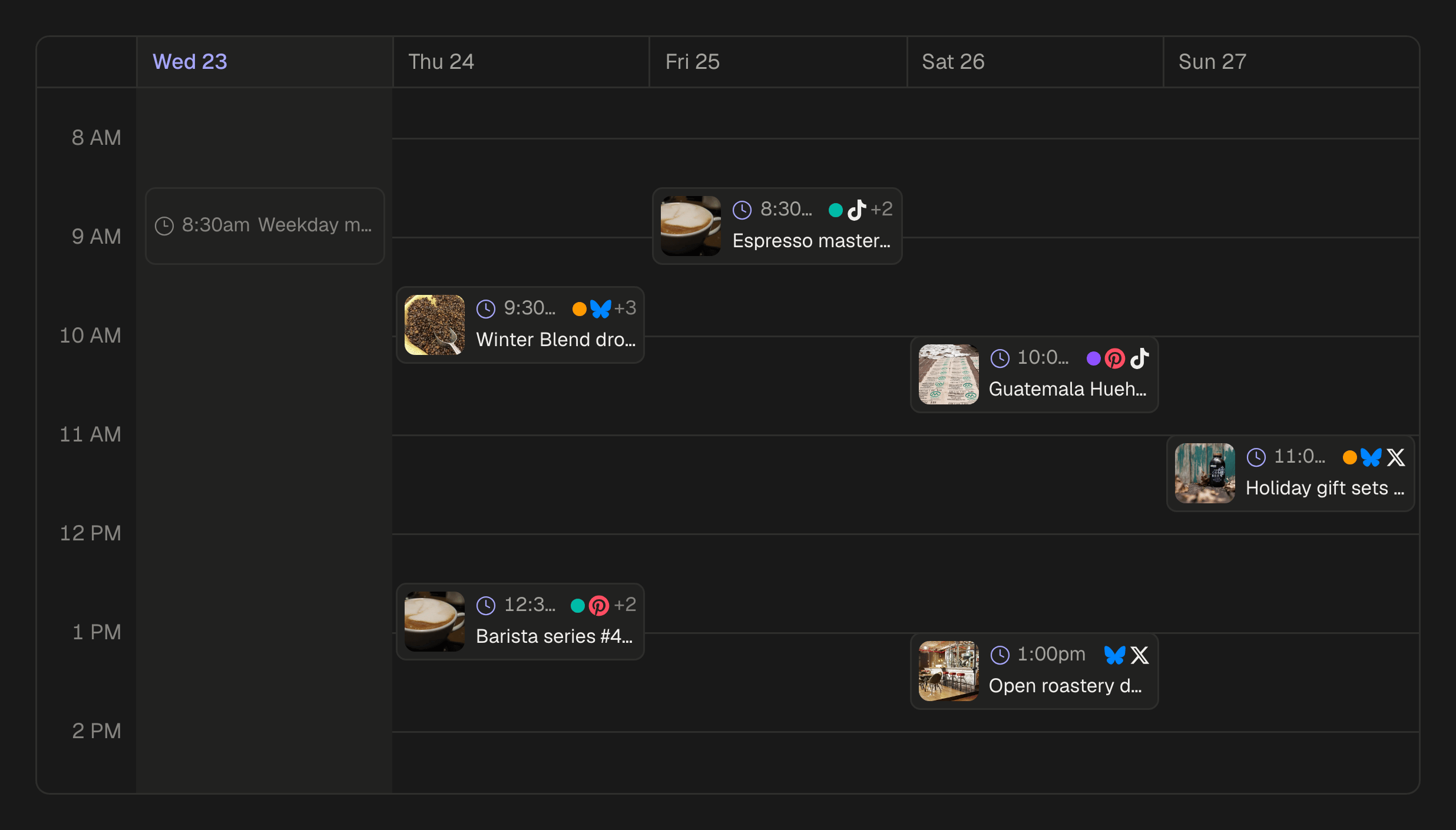
Each post carries the campaign's colour in the calendar, so the launch week shows at a glance among everything else. Filter the calendar or the list of posts by campaign to see only its posts. The campaign's own page counts its drafts, scheduled and published posts, shows the next one, and flags any that need attention.
Track the visits on your site
The networks count clicks on your link; your site's analytics count what those visitors did next. Connect the two by adding tracking parameters to the link, such as utm_source, utm_medium=social and utm_campaign=spring-launch. SPREVA sends the link exactly as you write it, so the parameters arrive intact.
For one source per network, put the link in each network's text under Per account, with utm_source=linkedin on LinkedIn and utm_source=instagram on Instagram.
Read the results
In Analytics, choose the campaign under Campaign and the dates it ran:
- Compare with the previous period to see what the campaign added over an ordinary fortnight.
- Narrow by platform to see which network carried it.
- Export the CSV of the same view for the report, with every post's numbers. Social media metrics that matter, and where to find them.
Or ask your AI agent
An AI agent connected to SPREVA can set the campaign up and read it back:
Create a campaign called Spring launch, add next week's posts about the new collection to it, and when it ends, tell me its reach, engagement rate and clicks per network compared with the two weeks before.
After the campaign
Keep the campaign: it is the record of what went out and how it did, and the place to start next year's. Write down the one thing you would change, and the post you would repeat.
Start your next campaign here
Make the campaign, give it this week's posts, and look at it in the calendar. Every plan starts with a 7-day trial.
Questions
Can a post belong to two campaigns?
No. A post belongs to one campaign at a time; adding it to another moves it there.
Does a campaign have start and end dates?
No. A campaign is a label; its posts' dates are its dates. Choose them in Analytics when you read the results.
Does SPREVA add tracking parameters to my links?
No. Add them to the link yourself; SPREVA sends it exactly as written.
What happens to the posts if I delete a campaign?
They stay as they are, without a campaign. Nothing is unscheduled or removed.
Can I compare two campaigns?
Filter Analytics by one, then by the other, over the same length of time, or ask your AI agent to put them side by side.
Written by
Rodolfo Mota
Founder of SPREVA
Makes SPREVA in Portugal: the Studio, the tools an agent works with, and the publishing behind them.
Keep reading
- Social media metrics that matter, and where to find themWhich social media metrics matter: reach, views, engagement rate, clicks and follower growth, what each one tells you, and how to read them for every network.
- How to plan a month of social media in a content calendarHow to plan a month of social media posts in one sitting: a rhythm, campaigns for the fixed dates, themes, and a calendar to see and move it all.
- The best time to post is yours: how to find it with your own numbersNo universal best time to post fits your audience. How to test two posting times for four weeks with queues and campaigns, and read the answer in your numbers.