AI agent
An AI agent for the busywork. The decisions stay yours.
It drafts captions for each network, describes every upload so you can find it, makes the picture you need and writes scripts from your own sources. Nothing is published until you publish it.
Media library
A library that knows what is in it.
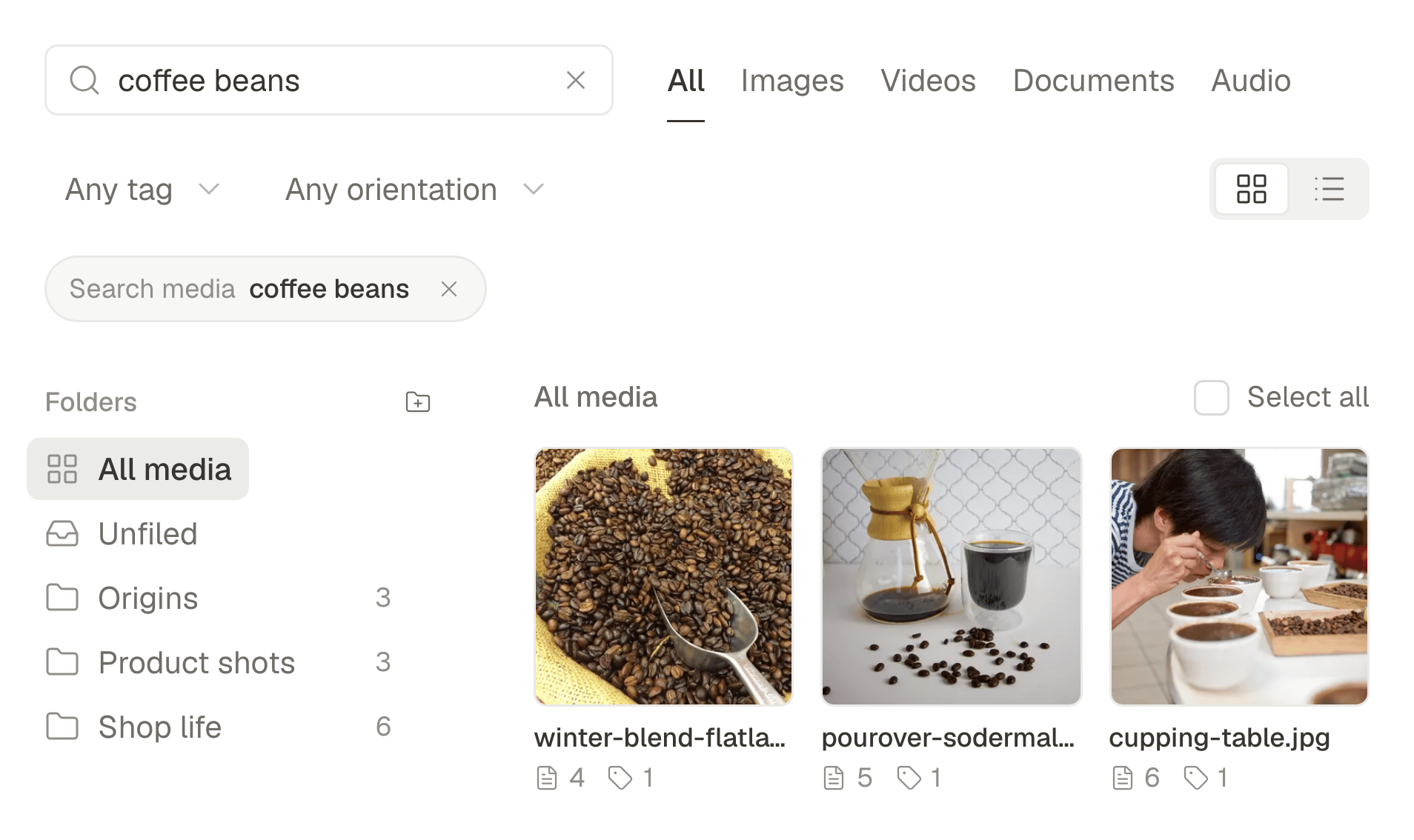
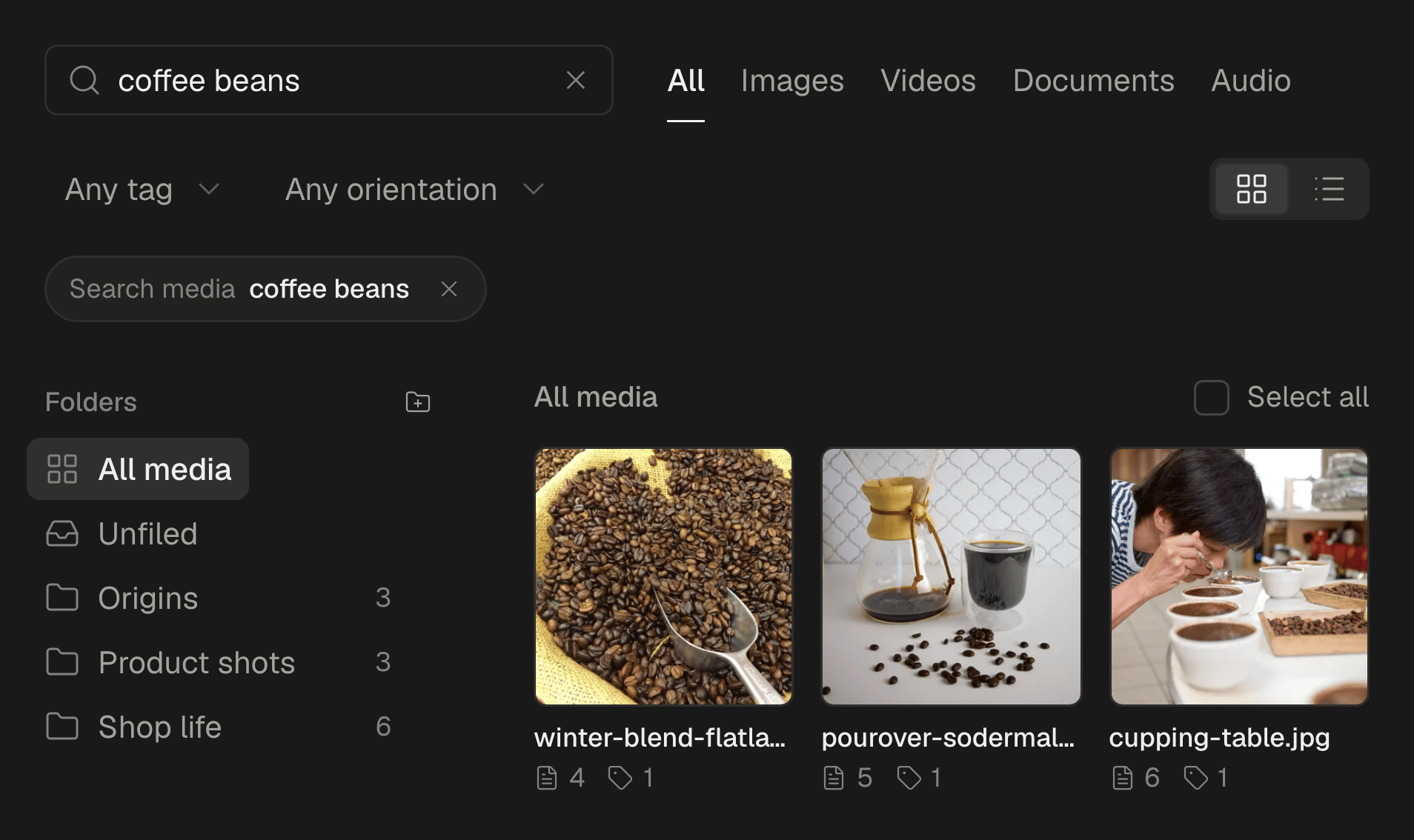
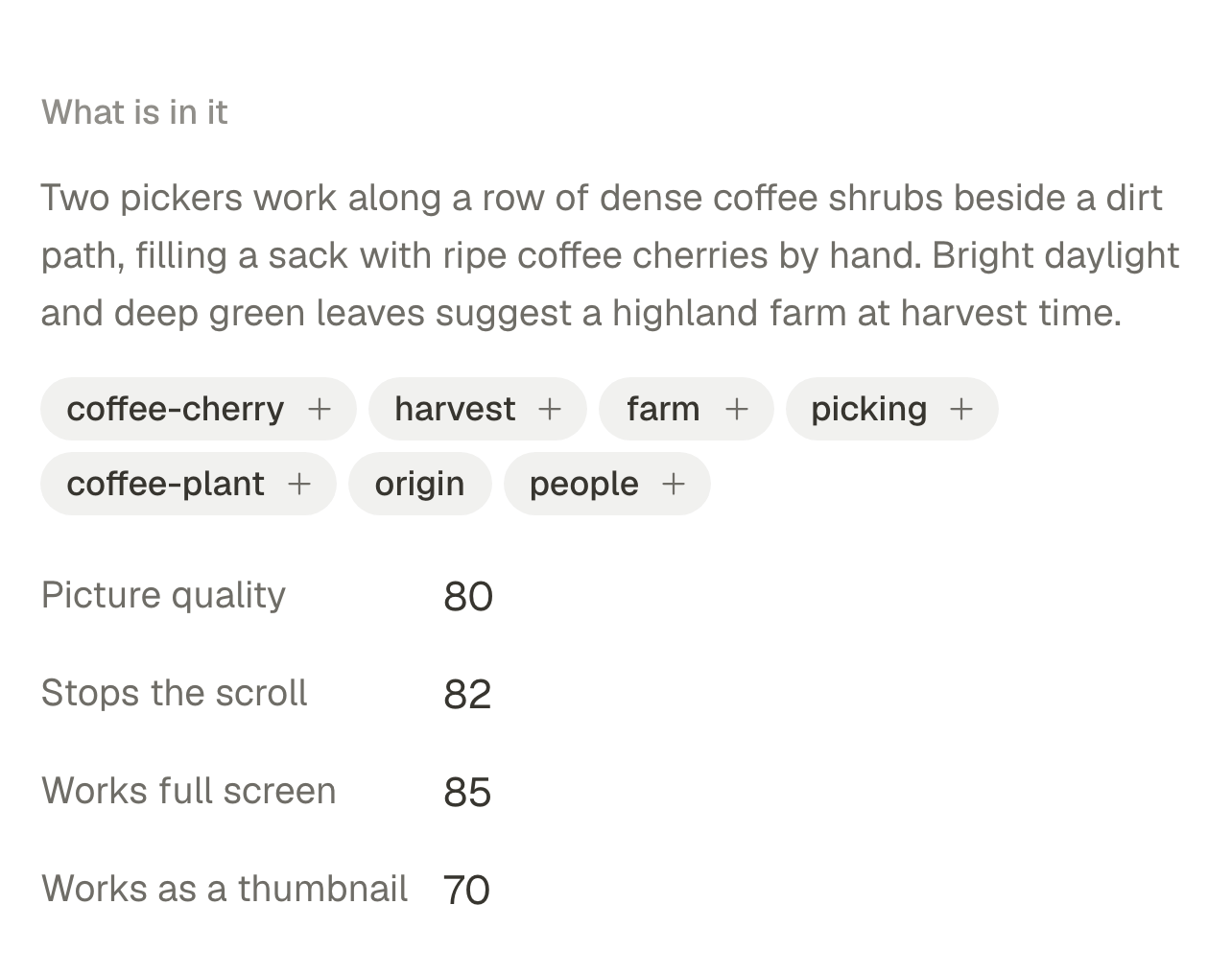
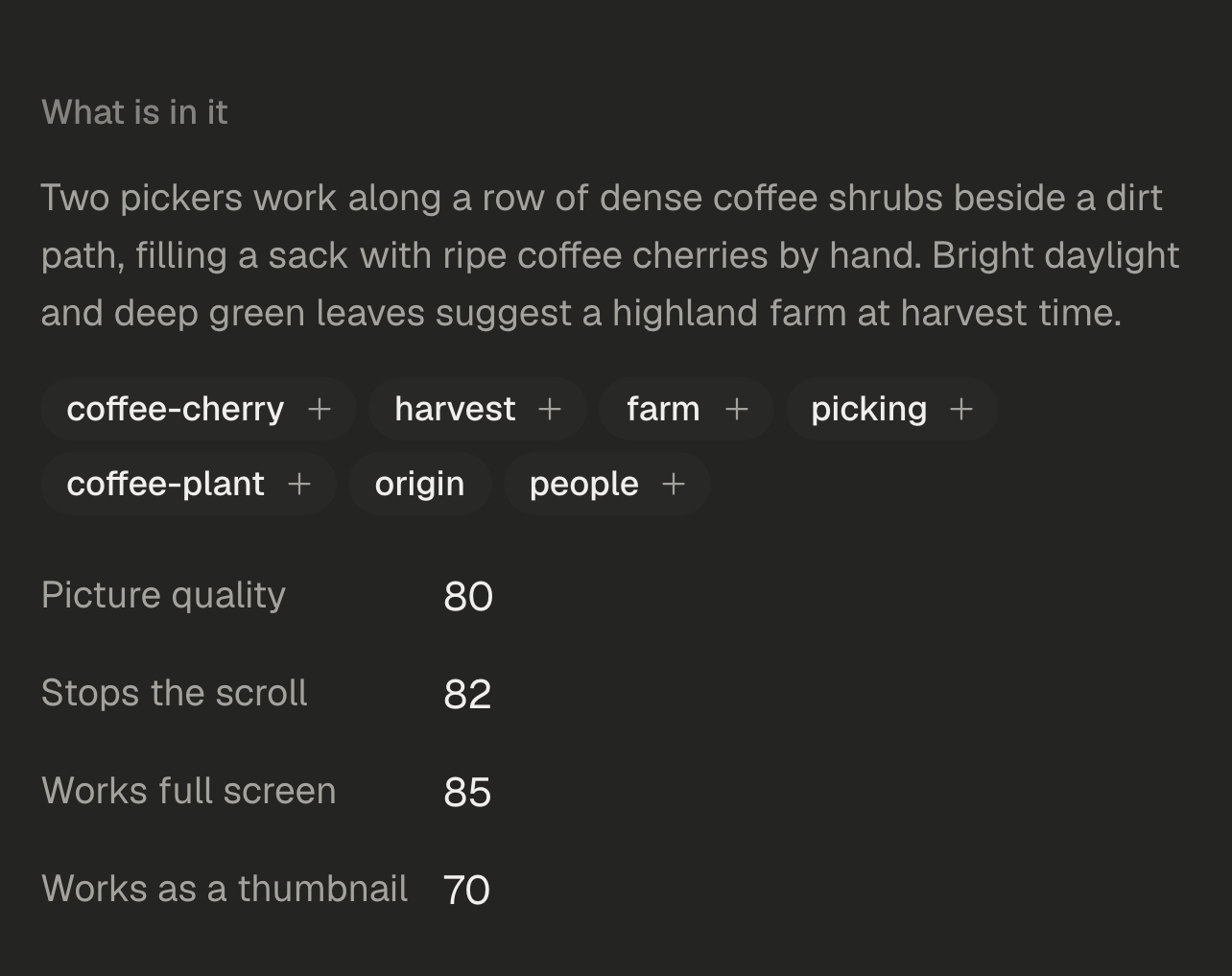
Every upload is described and tagged as it arrives, so you find a picture by what it shows and a video by what is said in it. New images and the documents behind a script live here too.
Described as it arrives
Each file gets a description and tags, and a warning when its name does not match the picture. Describe older files up to fifty at a time, or switch it off for the workspace.
Search in plain words
Type what you remember seeing. The library matches what is in the picture, and also file names, tags, alt text and folders.
Videos you can search by what is said
One frame per shot is looked at and the sound is transcribed, so each video gets a summary, its key quotes and a transcript you can search.
Alt text, suggested
SPREVA suggests alt text from the picture. You check it and save it on the file, and every post that uses the file gets it.
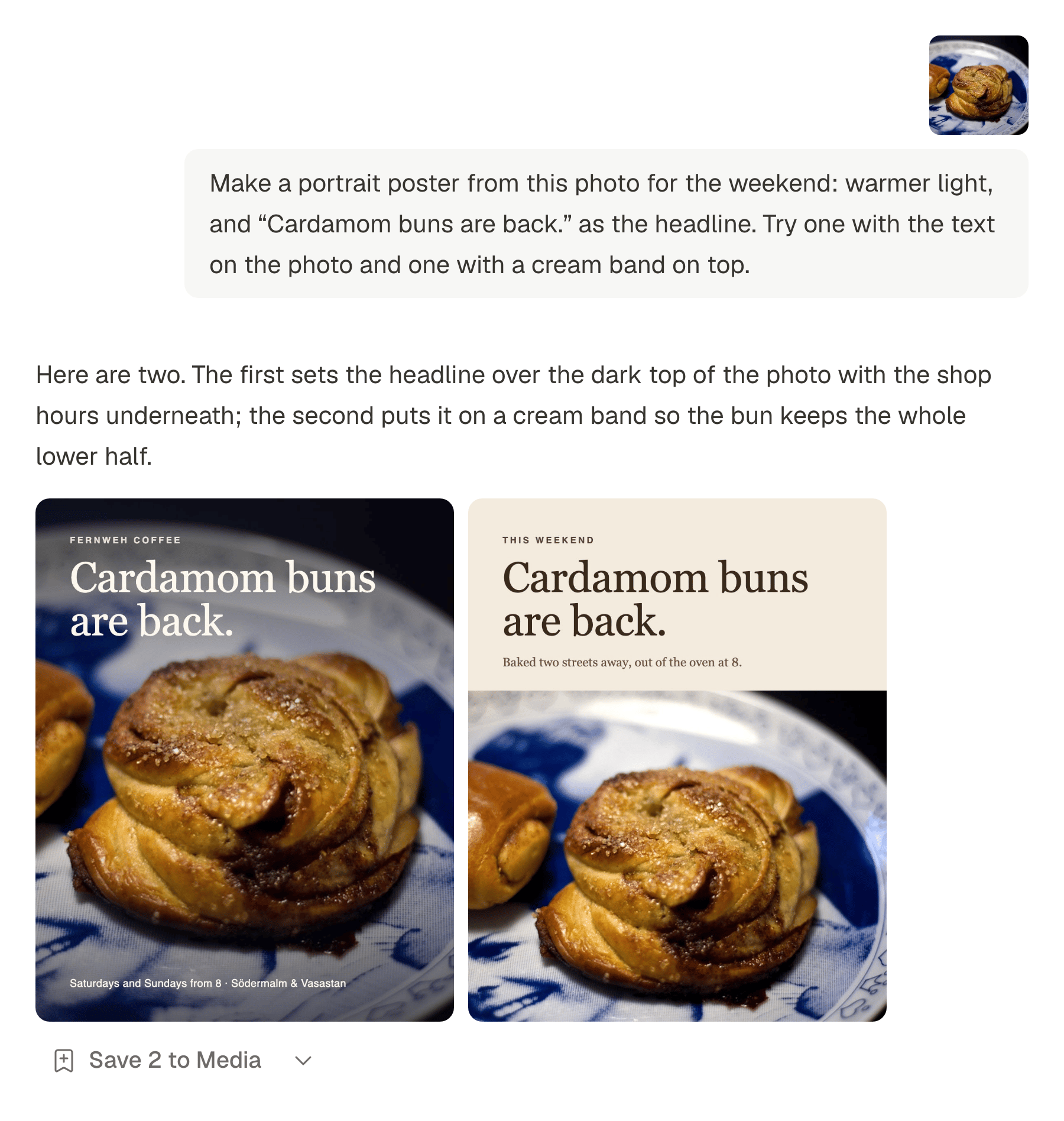
Make the picture you need.
Generate an image from a prompt and a shape, or open the Agent: describe what you want, attach up to four pictures from your library as references and ask for changes round by round.
Saved where you will look for it
Keep the results you like in Media, with a folder and tags, ready for the next post.
Documents are media too
The library takes PDF, text, Markdown, CSV and JSON files, and Keep as context turns an Assistant conversation into one. A script can use them as its sources.
Writing
Captions and scripts, drafted from what you give it.
Ask for a first draft from a short brief, a shorter version for one network, or a script built from your documents. Keep what you like and edit the rest.
Captions for every network
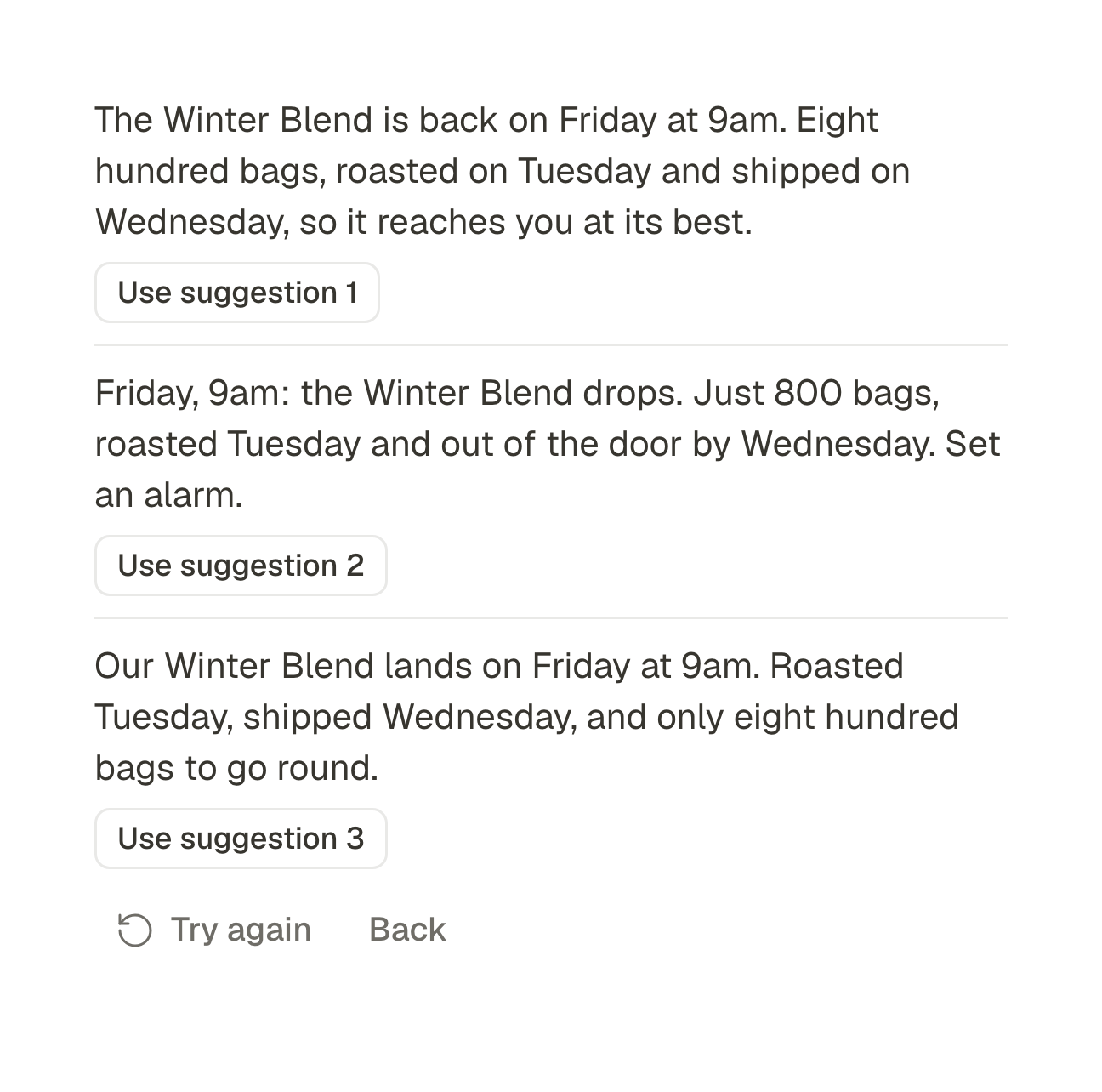
The assistant sits inside the composer. It writes from a brief, rewrites what you wrote, and fits the caption to each account you picked.
An assistant that suggests, never decides
Write from a brief, then improve, shorten, lengthen, fix the spelling, change the tone, translate into seven languages or suggest hashtags. It offers a few versions and you add the one you want.
Per-network versions
A different caption for LinkedIn, a title for YouTube, a link for X. Or let the assistant adapt the caption to one account's length limit and suggest its first comment.
Scripts from your own sources
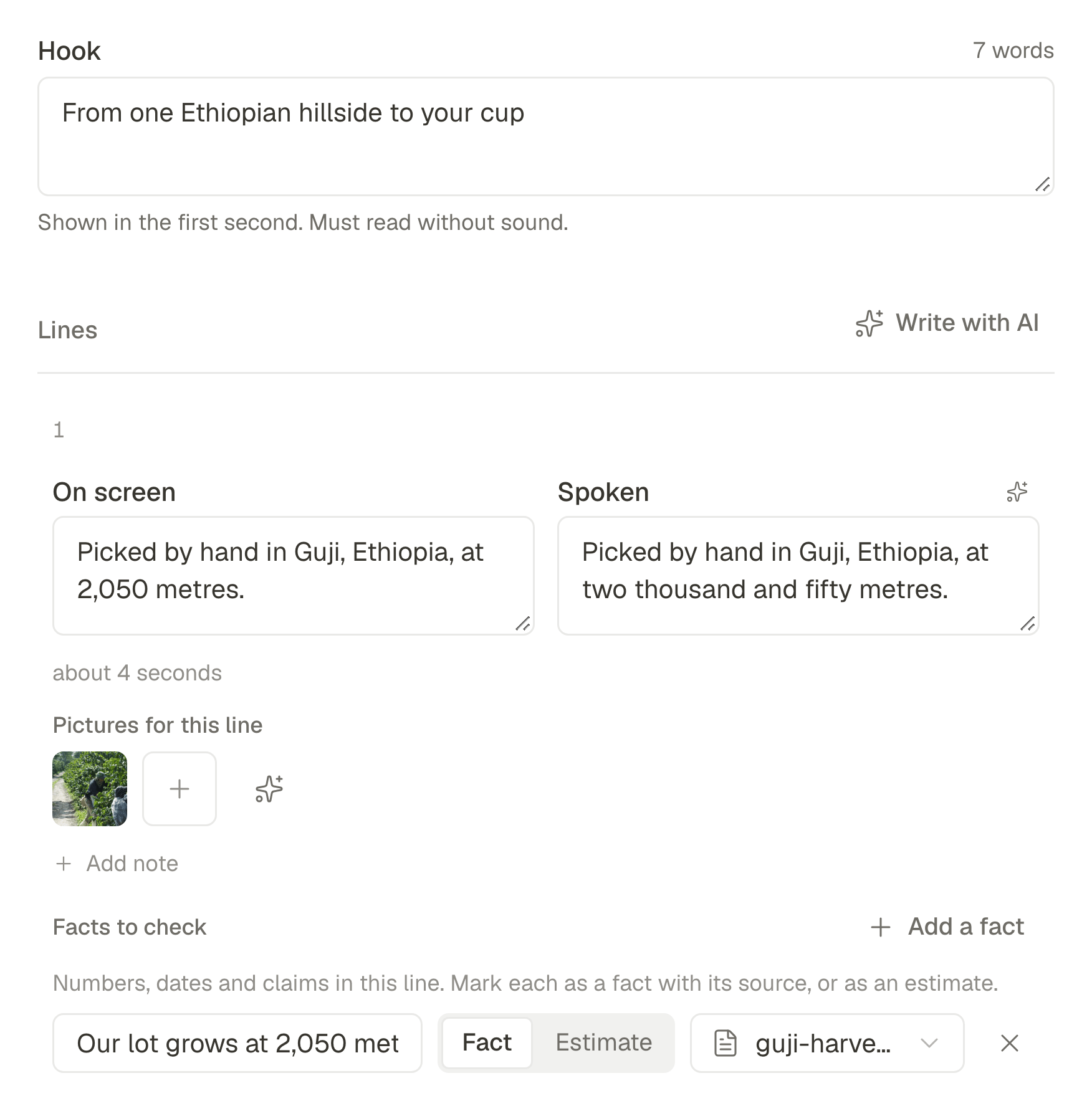
Give it up to five documents, five links and your notes. It writes the hook and the lines, takes its facts only from what you gave it, and checks the script as you edit.
- Every fact comes with the source it was taken from.
- The Checks panel flags a long hook, a line with nothing to say, a fact without a source or a length off target. A script with errors cannot be marked ready.
- Does anything get written or posted without me?
- No. The assistant offers suggestions and you add the one you want. Alt text is suggested and saved only when you save it, and nothing is published until you publish, schedule or queue it. The one thing that runs on its own is the description of new uploads, which makes the library searchable, and a workspace setting switches it off.
- What does the AI do, and is it included?
- It suggests and rewrites captions, adapts them per account, translates, suggests hashtags and first comments, suggests alt text, describes your uploads so you can search them, makes images, and turns a script into a narrated video. Every plan comes with a monthly allowance, shown under Plans: images start on Starter, and scripts, narration and AI video on Pro.
- Where do a script's facts come from?
- From the context you give the script: up to five documents from your library and your own notes, with up to five links kept as references. The AI takes facts only from there and names the source of each one. Every fact is listed under Facts to check, with its source or marked as an estimate, and the Checks panel flags one without a source. None of the context appears in the video.
Stop posting twelve times.
Connect your accounts, write the thing once, and get your afternoon back.
- Threads
- X
- Bluesky
- Mastodon
- TikTok
- YouTube
- Tumblr
- Google Business