How to do a social media audit: a checklist in ten steps
A social media audit answers three questions: what you have, what works, and what to change. Most accounts never ask them, so old profiles stay up, someone who left still knows a password, and the same kind of post that never worked goes out every week. This checklist takes an afternoon, works for your own accounts or a new client's, and ends with three changes, not a fifty-page report.

Rodolfo MotaFounder of SPREVA
The short version
List every account and who can reach it, check that each profile says the same thing, then take 90 days of numbers: followers, engagement rate, the best posts, video watch time, the mix of themes and how regularly you posted. Compare them with the 90 days before, decide for each account whether to keep it, fix it or drop it, and write down three changes for the next quarter.
When to do one
Once a quarter for your own accounts, at the start of every new client, and whenever something changes: a new person takes over the accounts, a network stops working for you, or you are about to plan the next year.
The checklist
Work through it in order: the first three steps are about what you have, the rest about what works.
- 1
List every account. Include the ones nobody posts to anymore: an old Page, a second Instagram from a past event. In SPREVA, Social Accounts lists every connected account and flags any that needs reconnecting before posts can go out to it.
- 2
Check who has access. In Team, remove anyone who has left and check each person's role: an Editor writes, a Publisher schedules, a Reviewer only approves posts or sends them back. The Audit log in Settings shows who did what, and when. Change any network password that someone who left still knows.
- 3
Check every profile. The name, photo, bio and link should tell the same story on every network, and the link should still work. This part you do in each app.
- 4
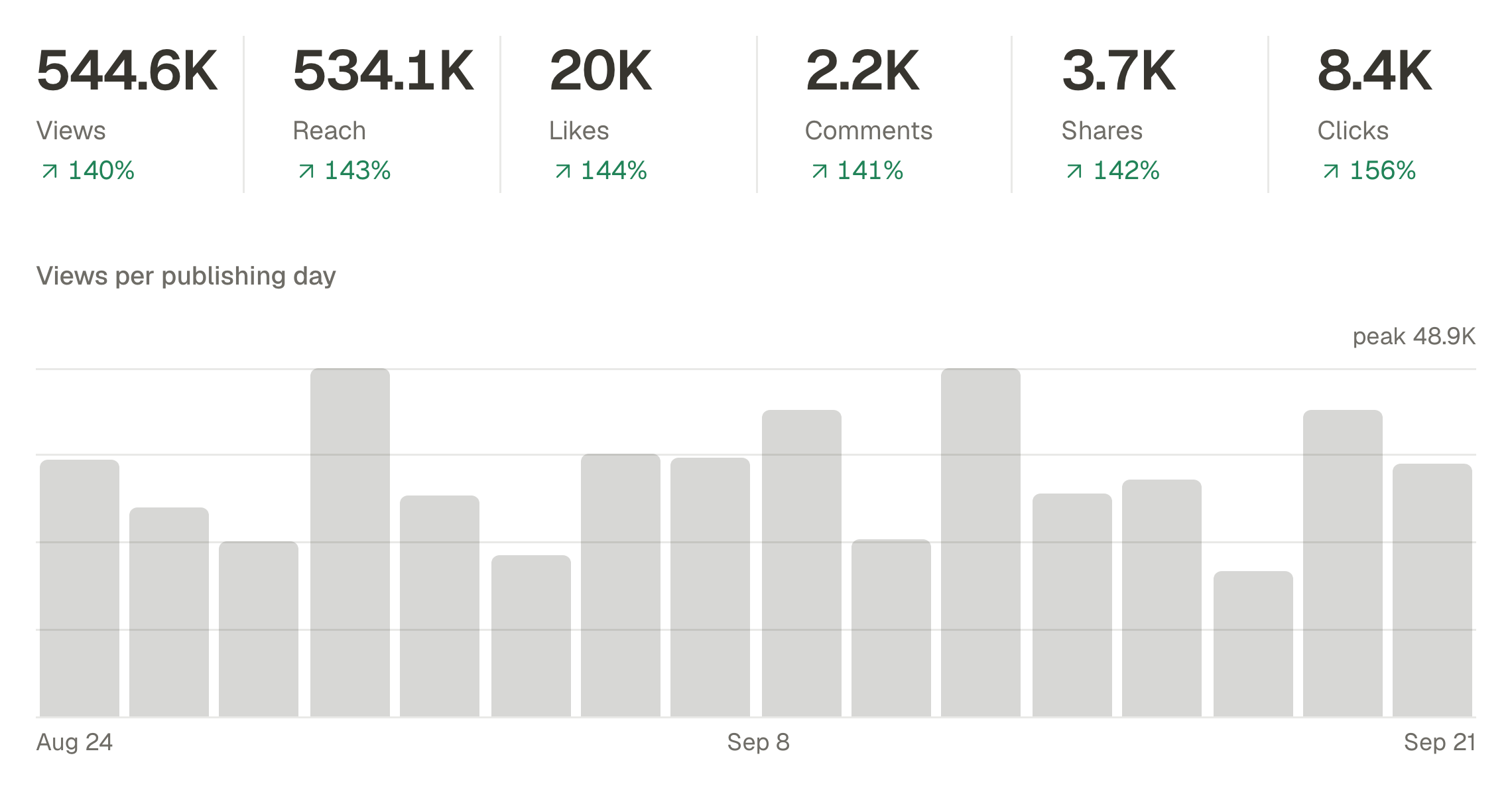
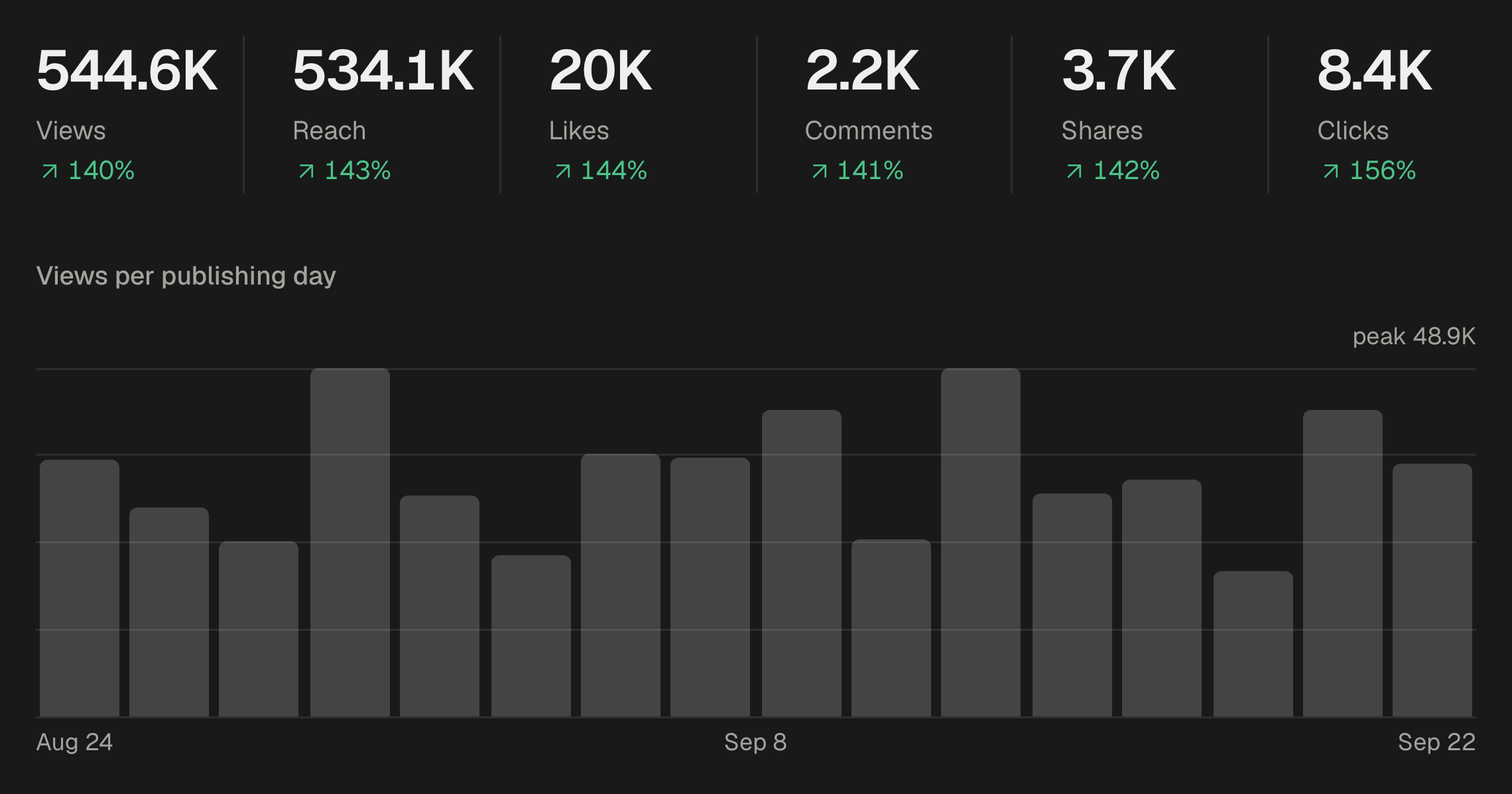
Take 90 days of numbers. Open Analytics, choose the last 90 days and compare them with the previous period. Analytics counts the posts SPREVA published; for posts made directly in an app, read that network's own insights. The CSV puts every account and post in a spreadsheet.
- 5
Followers, account by account. The Growth tab shows each account's followers at the start and end of the range. An account that has not grown in 90 days needs a reason to keep it.
- 6
Engagement rate, network by network. The Engagement tab compares networks on one measure: likes, comments, shares and saves divided by reach. Where a network reports no reach, SPREVA says what it divided by instead.
- 7
The best and the weakest posts. Best content on the Overview lists your ten strongest publications. Sort the CSV to find the weakest. Write down what the best ones share: the format, the length, the first line, the time.
- 8
Video. The Video tab shows views, watch time and the average watched per view. A short average means the first seconds are not holding people.
- 9
The mix of themes. If every post belongs to a campaign, filter Analytics by each one and see which theme works. If your posts have no campaign, start now, so the next audit can answer this. Content pillars: how to decide what to post every week.
- 10
How regularly you posted. Look for the empty weeks in the calendar and check whether the numbers dipped with them. A queue keeps the rhythm through busy weeks.
Keep, fix or drop
With the numbers in front of you, find each account in this table:
| What you see | What to do |
|---|---|
| Followers and engagement both growing | Keep it, and give it more of what its best posts have in common |
| Good engagement, followers flat | Fix the rhythm: post more regularly, at the times its audience is there |
| Posts seen, but nobody reacts | Fix the posts: the first line, the format, a question people can answer |
| Nothing posted in months, and your audience is elsewhere | Drop it: delete it, or say in its bio where to find you now |
Three changes, not fifty
End the audit with three changes for the next quarter, each one something you can check in three months: post to TikTok three times a week, move the posting times to the evening, replace the theme that keeps finishing last. Set the date of the next audit, three months from now, and compare the same numbers then.
Let an AI agent do the numbers
If an AI agent is connected to SPREVA, it can gather the numbers part of the audit for you and leave the decisions to you:
Audit my social media for the last 90 days against the 90 days before: the totals and engagement rate, the split by network, the five best posts and what they have in common, whether posts with video did better than those without, and whether short captions did better than long ones. End with three changes to make next quarter.
Auditing a new client's accounts
Connect the client's accounts in a workspace of their own and run the same checklist. SPREVA's numbers start with the posts it publishes, so for the months before, read each network's own insights with the client. Turn the result into your first report: where they are today, the three changes, and the numbers you will compare in a month. How to send a client a monthly social media report.
Start this afternoon
Open Social Accounts and Team first, then Analytics with the last 90 days, and keep a page for the three changes. Every plan starts with a 7-day trial. Social media metrics that matter, and where to find them.
Questions
How often should I audit my social media?
Once a quarter. Monthly is too short to see a change; once a year lets a problem run for months.
How long does a social media audit take?
An afternoon for a handful of accounts. Most of the time goes into reading the posts, not into collecting the numbers.
Do I need a separate tool for the audit?
No. The accounts, the team, the numbers and the calendar are all in SPREVA. Only the profiles themselves, the bio and the photo, are checked in each app.
What about posts from before I used SPREVA?
SPREVA's Analytics counts the posts it published. For older posts, or posts made directly in an app, use that network's own insights.
Should an audit include competitors?
Look at two or three by hand: what they post, how often, and what people react to. Your own numbers come first, because they are the ones you can change.
Written by
Rodolfo Mota
Founder of SPREVA
Makes SPREVA in Portugal: the Studio, the tools an agent works with, and the publishing behind them.
Keep reading
- Social media metrics that matter, and where to find themWhich social media metrics matter: reach, views, engagement rate, clicks and follower growth, what each one tells you, and how to read them for every network.
- How to send a client a monthly social media reportWhat a monthly social media report should say, and how to pull it from SPREVA: the numbers against last month, the posts that worked, and what comes next.
- Content pillars: how to decide what to post every weekContent pillars end the weekly what-do-we-post panic: three to five themes you rotate, set up as campaigns in SPREVA, with the numbers to see which one works.