How to send a client a monthly social media report
Tiago's clients do not want a spreadsheet. They want three answers: did it work, what worked best, and what happens next month. This is how his agency answers them every month, with the numbers from SPREVA and a page anyone can read in two minutes.

Rodolfo MotaFounder of SPREVA
The short version
Open Analytics in the client's workspace, set the month with From and To, and compare it with the previous month. Read three things: the totals with their change, the best content, and the split by network. Download the same view as a CSV file for the numbers, then write the report around them: what happened, what worked, what you will do next. An AI agent connected to SPREVA can draft it from the same numbers.
What a client actually reads
A good monthly report fits on one page and answers four questions:
- Did it work? Three or four numbers against last month: views, reach, interactions and followers.
- What worked best? The two or three posts that did, each with a line on why.
- What did we learn? One observation the client could not have made on their own.
- What happens next? What changes next month because of it.
Everything else belongs in an appendix. A report that lists every number of every post reads as proof of work, not as advice.
Pulling the month from SPREVA
- 1
Open the client's workspace and go to Analytics.
- 2
Set the month with From and To, and set Compare with to vs previous month.
- 3
Overview gives views, reach, likes, comments, shares and clicks, each with its change, and Best content lists the posts that did best.
- 4
Growth shows each account's followers at the start and the end of the month; Engagement and Video add interactions, the engagement rate and watch time.
- 5
Press CSV to download the view you are looking at: one row for the total, then one for each network, each account and each post.
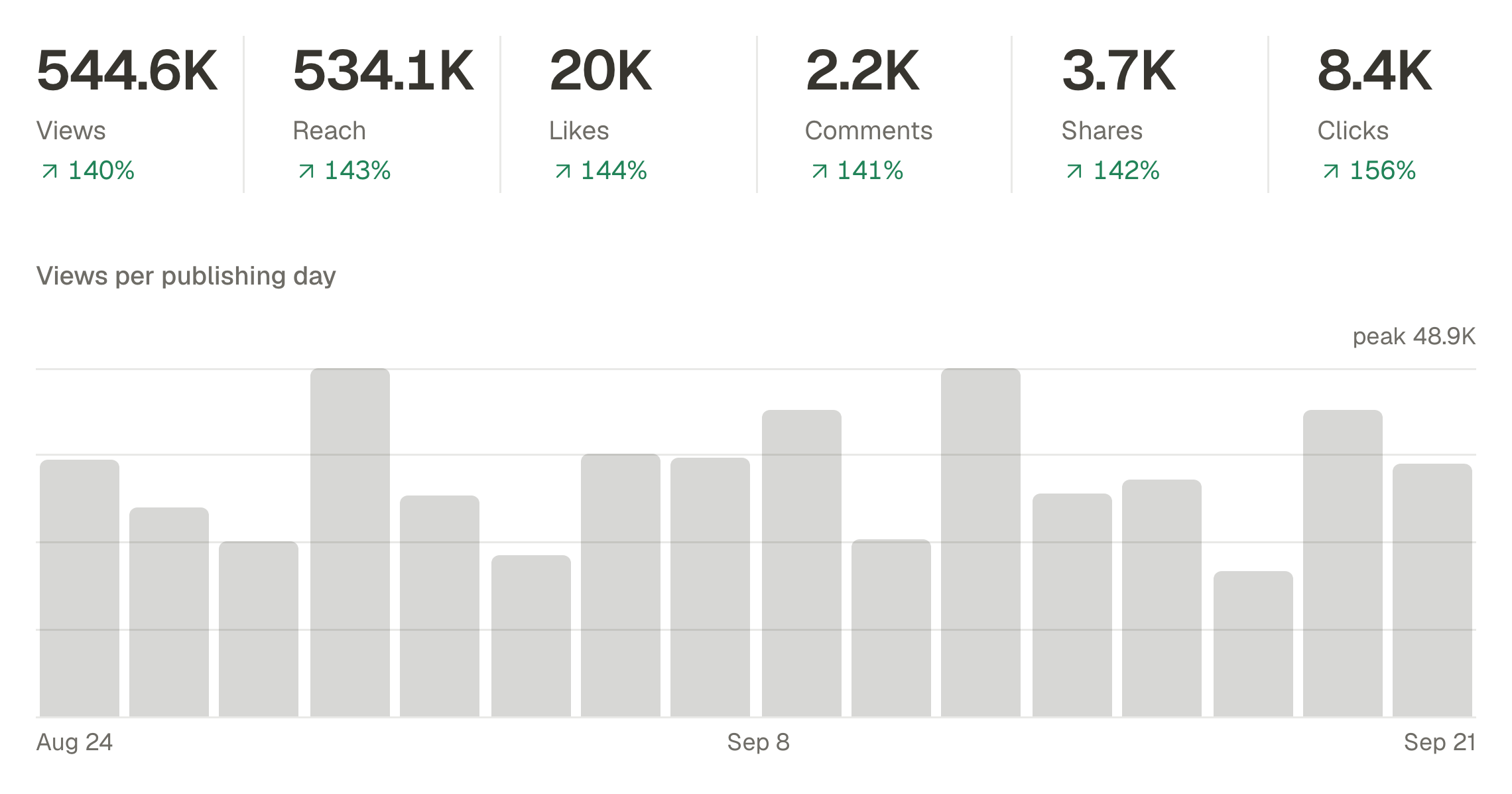
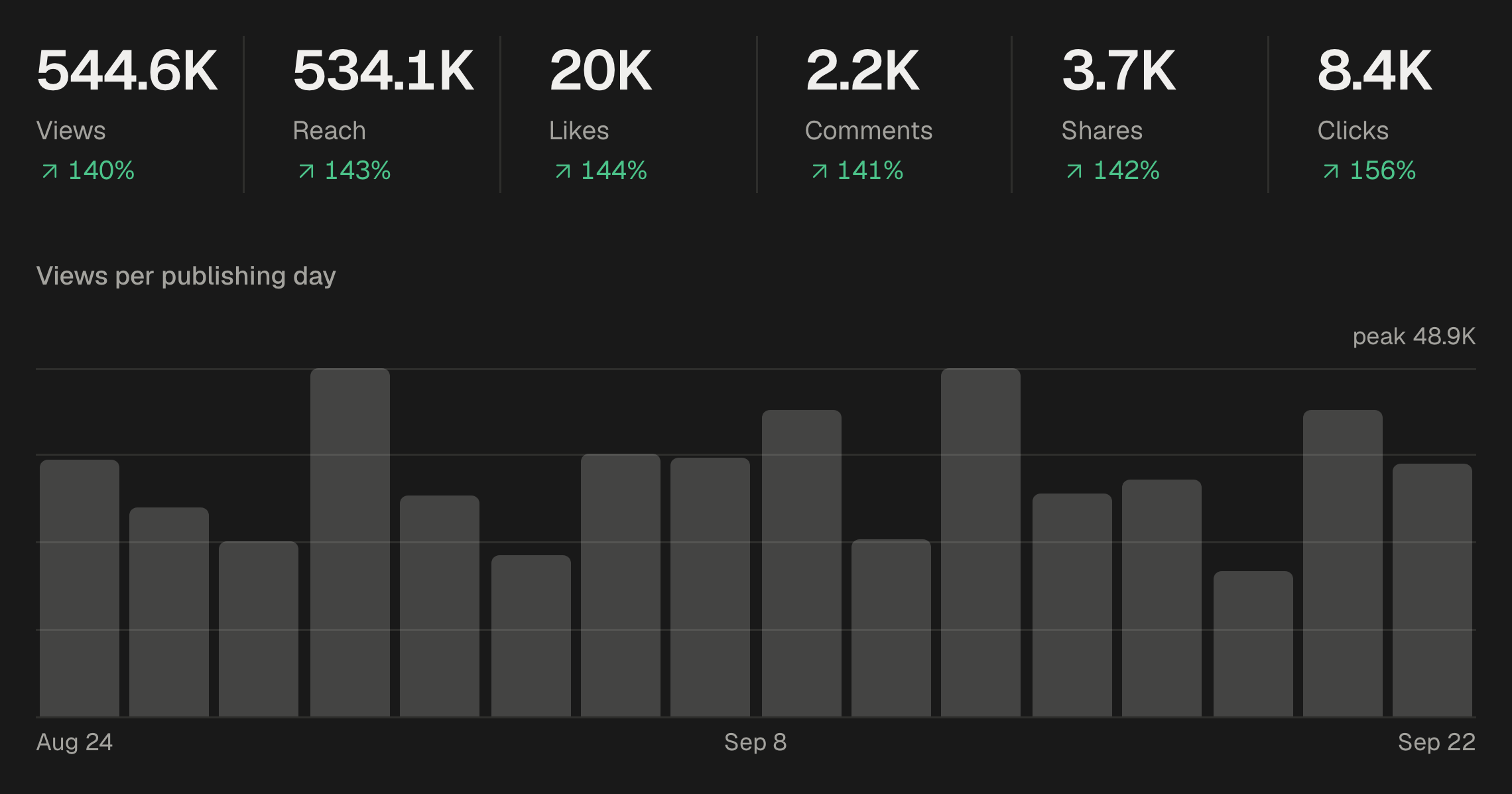
One launch, one report
When the month had a launch, filter Analytics by its campaign, or open the campaign's menu and choose View its analytics: the same numbers, for that launch's posts only. It is often the page the client cares about most.
Where the numbers come from
Each network reports its own numbers, and SPREVA reads them an hour after a post goes out, then after six hours, a day, three days, a week and a month. Analytics says when they were last collected. A dash means the network does not report that number; a zero means it reported zero. Say so in the report when a network is missing a number, before the client asks.
Let an agent write the first draft
An AI agent connected to SPREVA reads the same numbers, so the first draft can be one request:
How did the Fernweh workspace do in September compared with August? Give me the three numbers that matter, the two best posts with a line on why, and one thing to change in October.
The agent compares the month with the one before, links the top posts and only draws comparisons when there are at least five posts on each side. Rewrite its draft in your own words before it reaches the client: the advice is the part they pay for.
Sharing it with the client
Most agencies send the report as a document. To let a client open Analytics themselves, invite them to the workspace as an Analyst, which takes a seat; Reviewers, the free accounts clients approve posts with, do not see it.
With approvals on, attach the month's decisions too: Export approvals in Posts gives one line per decision, with who, when and which version. What an approval record keeps.
Write next month's report this way
Open Analytics for one client, compare last month with the one before, and write the four answers. Analytics is on every plan, and every plan starts with a 7-day trial. SPREVA for agencies.
Questions
Which numbers should a monthly report include?
Few: views or reach, interactions, followers and the best posts, each against last month. Add watch time when the client posts video, and clicks when the goal is traffic.
Can SPREVA make the report as a PDF?
Not yet. Analytics downloads a CSV file of the view you are looking at; the report itself, the part the client reads, is yours to write.
Can SPREVA email the report to the client every month?
Not yet. An AI agent connected to SPREVA can draft it whenever you ask, from the same numbers.
Why do some networks show a dash instead of a number?
The network does not report that number. A zero means it reported zero. Google Business Profile, for example, no longer gives statistics for individual posts.
Can the client see Analytics in SPREVA?
Yes, if you invite them as an Analyst, which takes a seat. Reviewers, who approve posts for free, do not see Analytics.
Written by
Rodolfo Mota
Founder of SPREVA
Makes SPREVA in Portugal: the Studio, the tools an agent works with, and the publishing behind them.
Keep reading
- How to manage social media for several clients without posting to the wrong oneOne workspace per client, accounts that cannot cross, a free reviewer each and a plan each. How an agency keeps clients apart in SPREVA, and what it costs.
- “That is not what I approved”: what to show the clientA thumbs-up in a chat is weak proof when a client disputes a post. What an approval record should hold, how SPREVA keeps one, and how to use it calmly.
- A week of social media from one conversation with your AI agentMonday's photos become a video, Tuesday's post goes to every network in its own words, the queue fills itself and Friday brings the numbers. A week with an AI agent connected to SPREVA, prompt by prompt.