How to turn a script into a video: write the words, get an editable first cut
Most short videos are decided by their words: the hook, the five lines that follow, the one number people remember. Yet most editing starts from footage and finds the words last. SPREVA works the other way round. You write the script, and Studio turns it into a first cut, with the voice, the captions and the pictures in place, that you can still change shot by shot.

Rodolfo MotaFounder of SPREVA
The short version
Open Scripts and start a new one. Write the hook, then each line: what is shown on screen and what is said. Pick pictures for a line or let SPREVA choose them from your library, mark the facts you need to check, and press Produce in Studio. Choose the voice, the style and the music, and a first cut appears in Studio: narrated, captioned word by word, and editable.
Why start from the script
When the words come first, everything else follows them: the voice reads them, the captions show them as they are said, and each picture sits under the line it belongs to. Changing a line changes the video, not the other way round. And the script stays, so next week's video starts from this one.
Writing the script
- 1
Open Scripts and press New script. Choose the format, the layout, the language and the length you are aiming for.
- 2
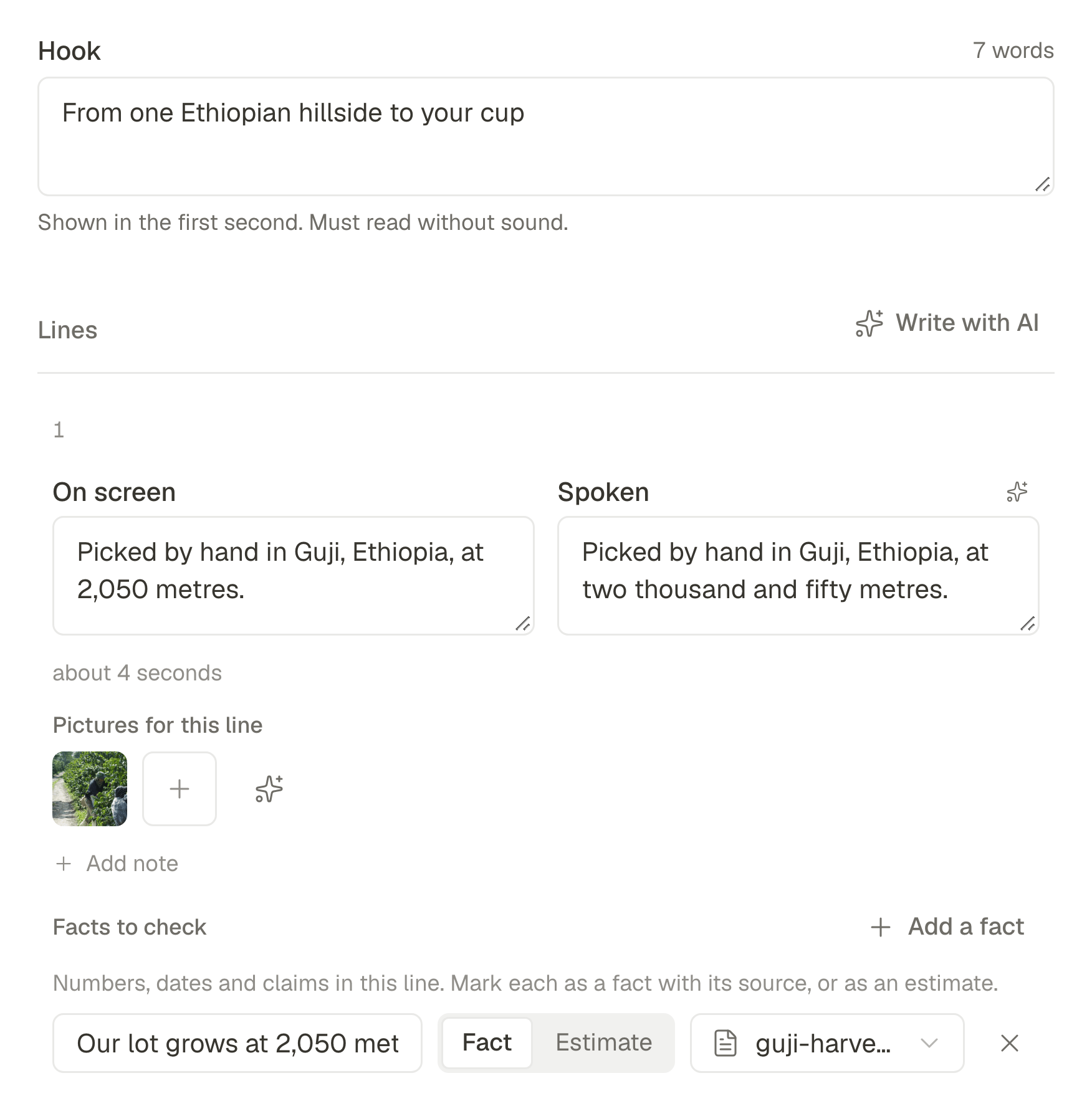
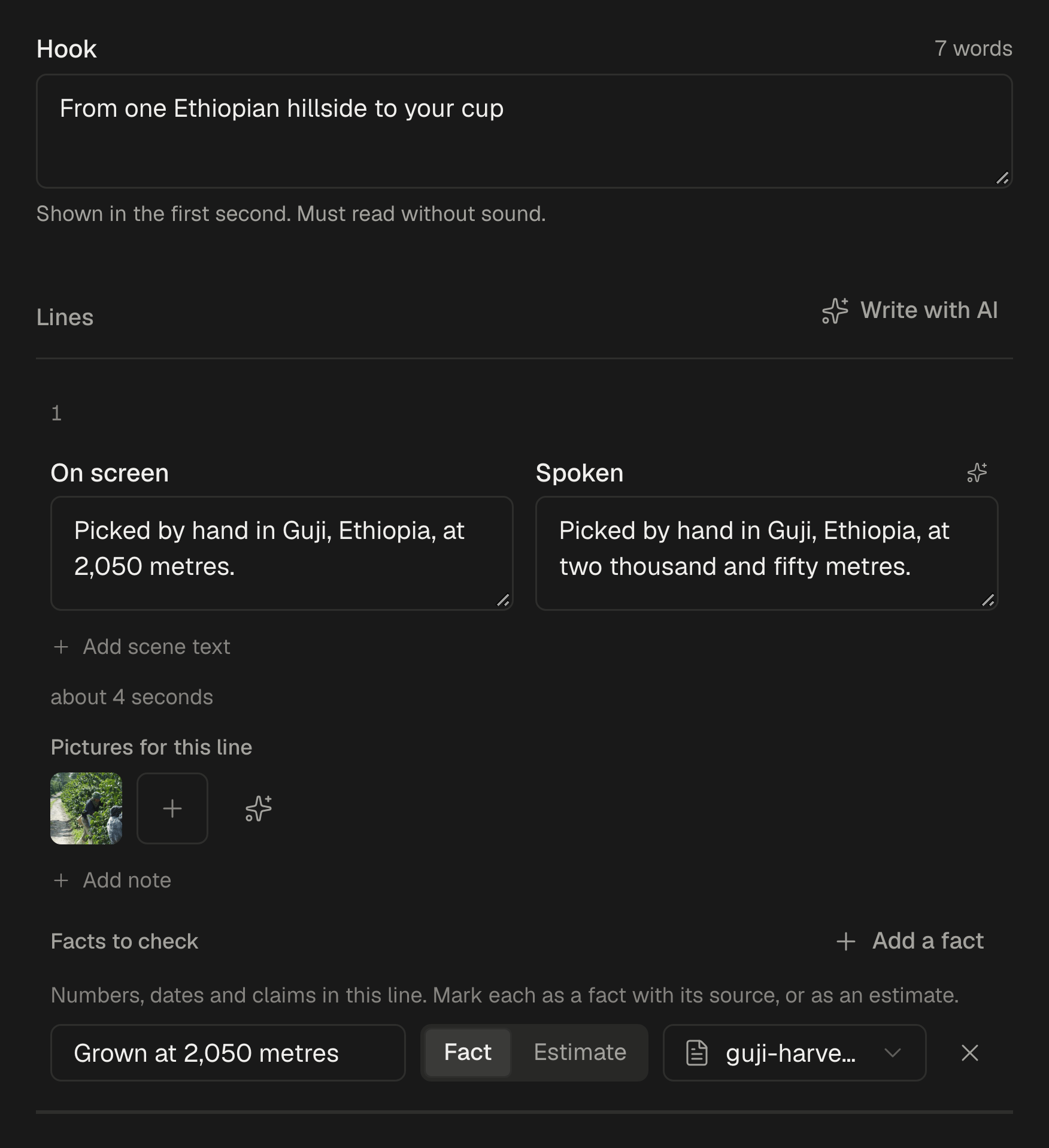
Write the Hook: the line shown in the first second, which must work without sound.
- 3
Add the Lines. For each, write what is On screen and what is Spoken. Write numbers in the spoken part the way they are said, so the voice reads them right. Write with AI can draft them with you.
- 4
Under Pictures for this line, choose pictures or clips from your library, or leave it to SPREVA to choose.
- 5
In Facts to check, mark each number, date and claim as a fact with its source, or as an estimate, before anyone hears it.
From the script to a first cut
Press Produce in Studio, choose the voice, the style and the music, and press Produce. Studio builds the video: the voice reads the spoken lines, the captions follow every word, and each line gets its pictures. Where nothing in your library fits a line, it stays empty instead of showing something unrelated.
What you get is a first cut, not a finished file: play it, change anything by hand on the timeline, or tell the AI what to change.
What the first cut includes
Beyond the words and the pictures, the first cut comes with:
- Captions timed to each spoken word, for the sound-off scroll.
- Motion: titles and icons that appear on their line, and a camera that moves in on what just appeared and settles back.
- Sound effects from SPREVA's own library, under entrances and reveals.
- The format you chose: vertical 9:16, 4:5, square or 16:9.
Words that work when spoken
A script for a voice is not an article. A few rules make it sound natural:
- Short sentences, of about 8 to 18 words, one idea each.
- Numbers as they are said: "two thousand and fifty" in the spoken line, 2,050 on screen.
- No exclamation marks. A calm voice is more convincing than a loud one.
Or write it with your AI agent
An AI agent connected to SPREVA, such as Claude or ChatGPT, can turn a script into a video too. It writes the scenes, picks a look for the titles and the motion, shows you a preview with what it will cost, and builds the video once you agree; then it can review it and export it.
Turn this script into a 45 second vertical video with the paper look and a calm voice, show me the preview and the cost first, and build it when I say yes.
Check it and export it
When you export, Check quality first adds any missing captions and a hook, puts the music under the voice and keeps the transitions in check, saved as a version you can go back to. The file goes to your library, ready to post to Reels, TikTok, Shorts or anywhere else. Studio is part of the Pro and Business plans, with 120 and 400 minutes of exported video a month.
Write your next video first
Take the video you were going to make this week, write its hook and five lines in Scripts, and produce the first cut. Every plan starts with a 7-day trial. Why a video made by an AI agent should stay editable.
Questions
What if I have no pictures for a line?
The line stays empty in the first cut, so you can see the gap and fill it in Studio, instead of finding an unrelated picture in your video.
Can I change the video after it is made?
Yes. It is a Studio project: every clip, caption and sound can be changed by hand, or by asking the AI.
What does the voice cost?
The narration uses AI credits: one for every 100 characters read.
Which formats can I make?
Vertical 9:16 for Reels, TikTok and Shorts, 4:5 and square for feeds, and 16:9 for YouTube.
Which plan do I need?
Studio, and with it turning scripts into videos, is part of the Pro and Business plans.
Written by
Rodolfo Mota
Founder of SPREVA
Makes SPREVA in Portugal: the Studio, the tools an agent works with, and the publishing behind them.
Keep reading
- Why a video made by an AI agent should stay editableAn AI agent can make a video in a minute. The question is what happens when you want the second scene shorter. Why SPREVA keeps every video an editable project, and what that changes for the person asking.
- How to promote a podcast on social media: a week of clips from every episodePromote your podcast on social media with a week of short clips from every episode: which moments to cut, where each one goes, and how to schedule them.
- How to use skills: teach SPREVA's AI your way of editing, onceSkills are your editing playbooks for the AI: write one or import a SKILL.md, and Studio's AI and your connected agents follow it whenever a request fits.