See the views your clippers bring, account by account
Most clipping programs run on Discord: a clipper posts a link, someone copies the views into a spreadsheet, and next week it starts again. Clippers in SPREVA replaces the counting with one link. This is what changes, how to set it up, and what it does not do.

Rodolfo MotaFounder of SPREVA
The short version
Set up Clippers in SPREVA and share the link it gives you. A clipper opens it, connects the YouTube, TikTok or Instagram account they post on, and associates it with you. From then on, every post that account publishes counts for you, and the Clippers page shows its views per account and per day, as each network counts them. Nobody pastes links, and nobody counts by hand.
A program that runs on a spreadsheet
A clipping program usually starts in a Discord channel. Clippers post links to what they uploaded, sometimes with a screenshot of the views, and someone copies the numbers into a spreadsheet once a week.
It works until the program grows. The numbers are old the day they are written, the links pile up in the channel, and a clip that took off after it was counted is never counted again. Ask which clipper really brings views, and the honest answer is a guess.
What changes
Clippers moves the counting from the channel to the accounts themselves:
- One link. You share it once, in your Discord, your bio or a panel on your channel.
- The clipper associates an account. They connect the account they post on (a YouTube channel, a TikTok account or an Instagram professional account) and associate it with you.
- Your rule decides who gets in. If the account's name contains one of your words, such as your name, it joins at once. Or you approve each account yourself.
- Every post counts from then on. Whatever the account publishes after it joins is counted, with no link to post.
- You see the numbers. Views per account and per day, each account's posts since it joined, and the accounts with their views as a CSV.
Set it up in three steps
Clippers is in the sidebar of your workspace. An owner or admin sets it up once:
- 1
Set the rule. Press Set up clippers. Under Account names must contain, write a word every account that clips you must have in its name, such as ARROZ if you stream as Arroz. Choose the networks you accept and how new accounts join: Join when the name matches, or I approve each one. Then press Create.
- 2
Share the link. Press Copy link and put it where your clippers already are: your Discord, your bio or a panel on your channel.
- 3
Watch the accounts arrive. Each account that joins appears on the page with its views. One that waits for you sits at the top with Approve and Decline, and you hear about it in SPREVA and by email.
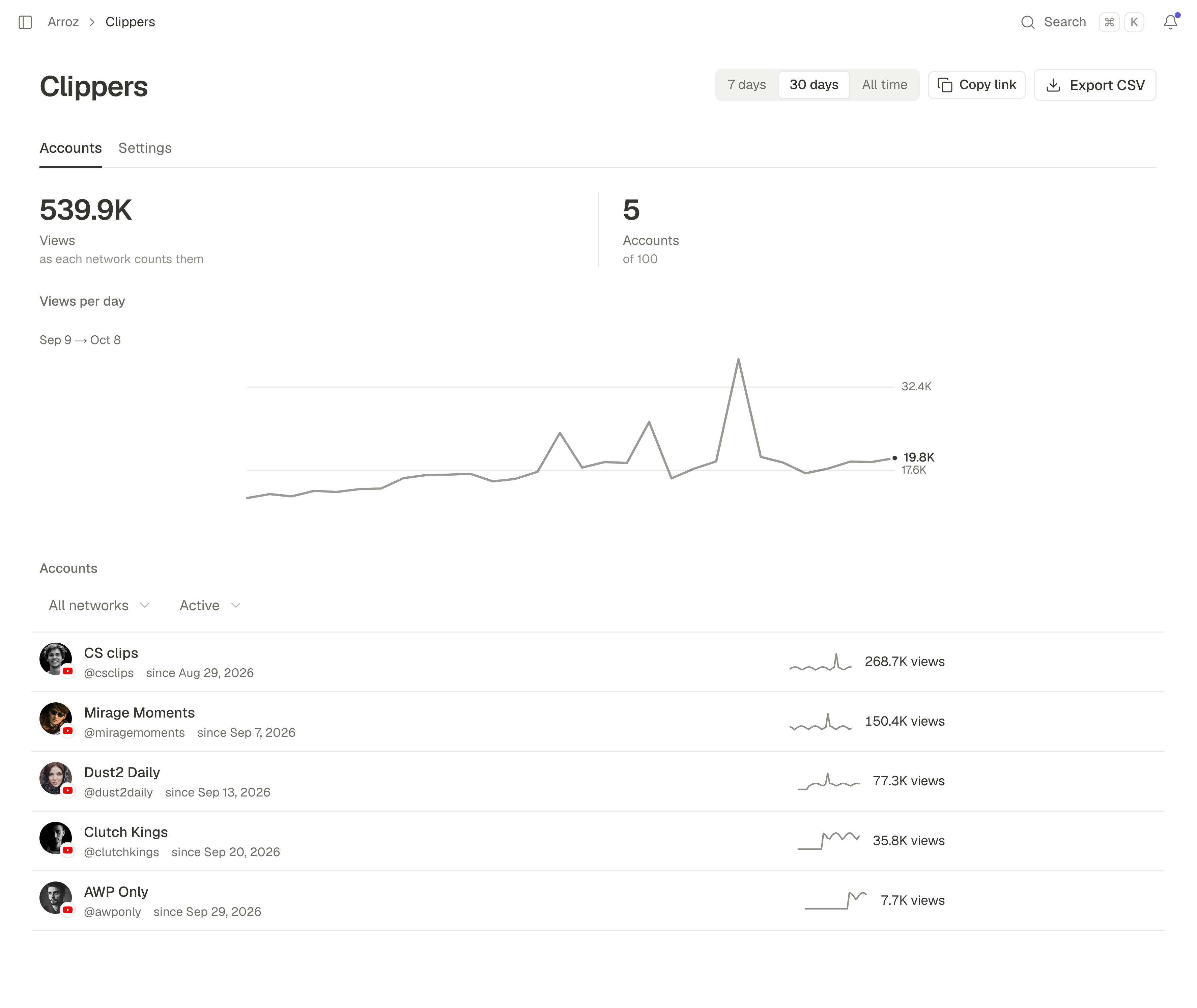
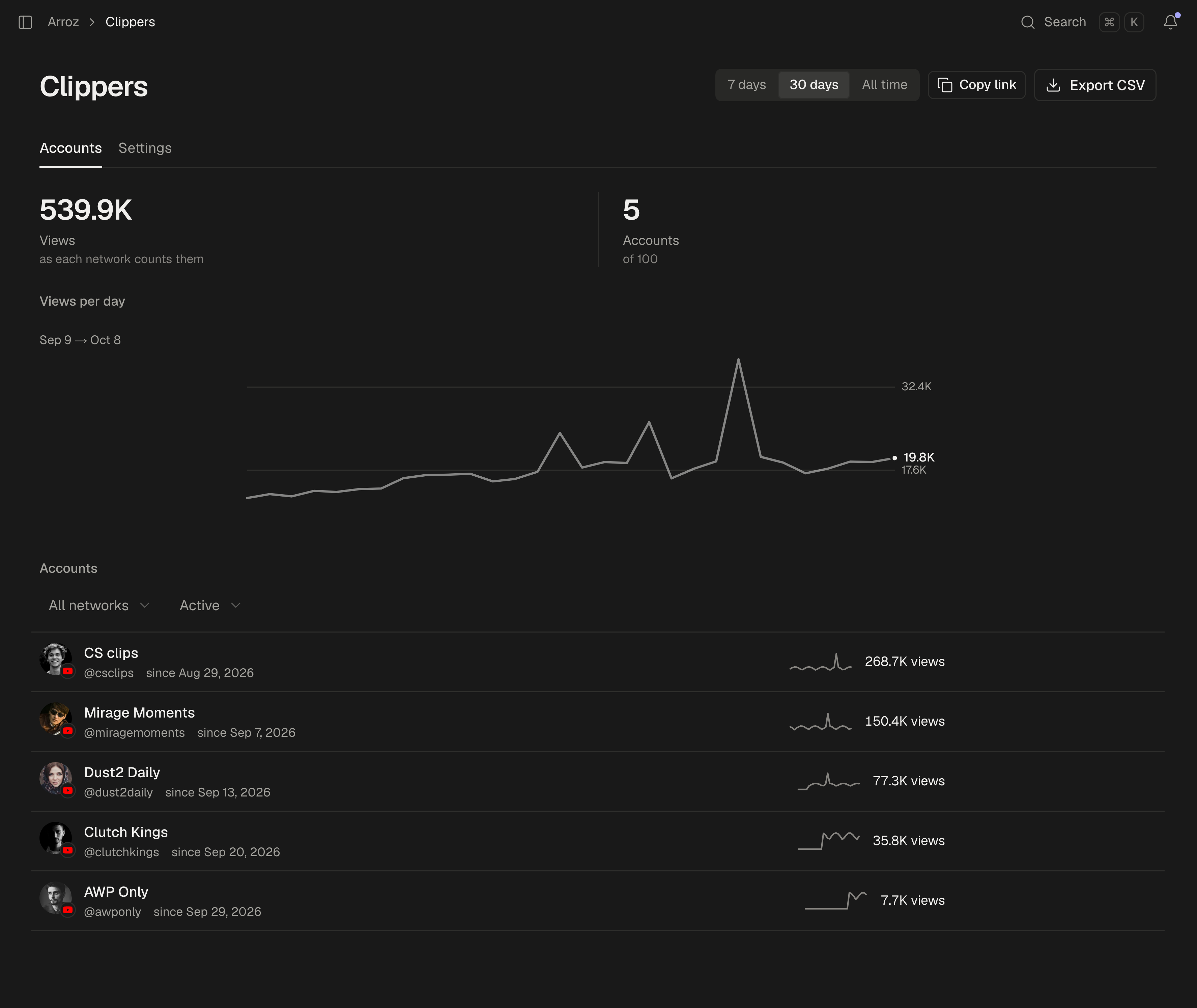
From then on, the page answers the question the spreadsheet could not. Choose a period and it shows the views your clippers brought in it, a chart of views per day, and every account with its own views. Export CSV gives you the same accounts as a file.
Every account, post by post
Open an account to see what it brought: its views per day, and each post since it joined with its views, likes and comments as the network reports them. A new post shows up within a few hours of being published.
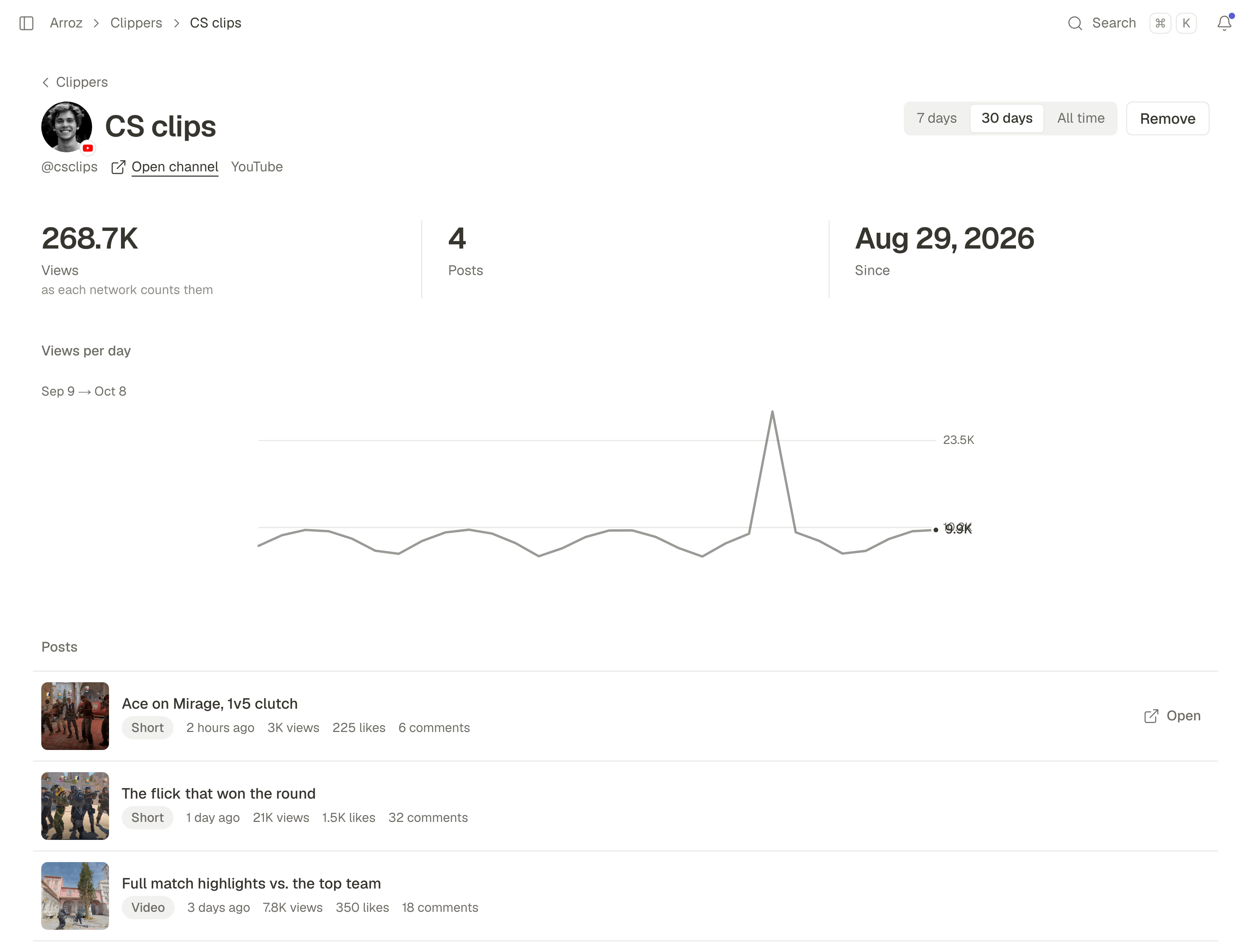
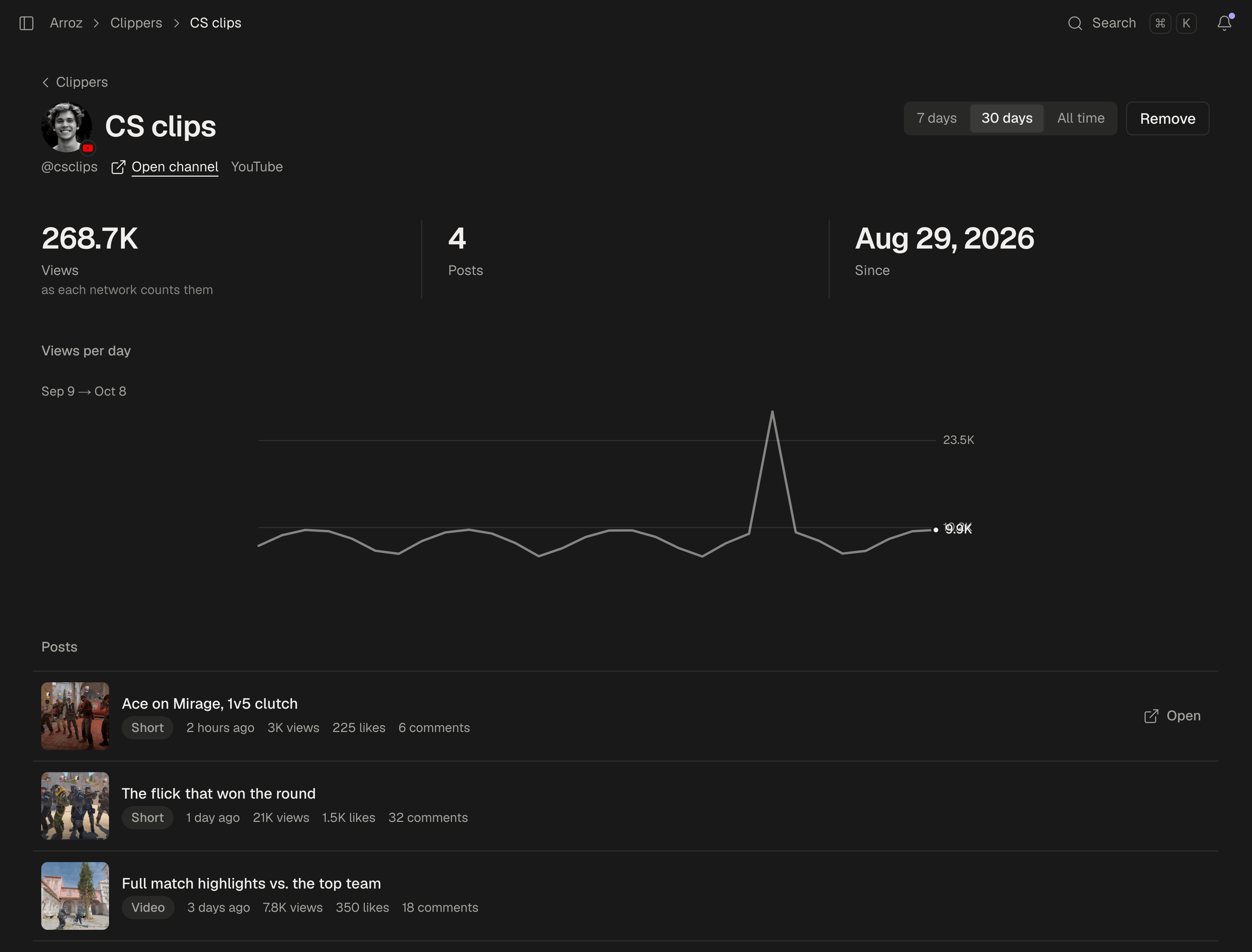
This is also where you check that an account belongs with your clippers. The name rule decides who gets in; it does not watch what they post. If an account's posts are not clips of your streams, press Remove: the clipper is told, and you stop seeing its numbers. What it brought until then stays in your totals.
What it asks of your clippers
Joining asks very little of a clipper, which is why a link in Discord is enough:
- It is free. An account made through your link costs them nothing and connects the accounts they post on. Publishing and the Studio need a plan of their own. A clipper who already uses SPREVA associates an account from their own workspace, whatever their plan.
- The account stays theirs. SPREVA never posts on it for you. You see its numbers and its posts, nothing more, and they agree to exactly that when they associate it.
- They can leave at any time. From the account's page in SPREVA, one button takes it out of your clippers, and you stop seeing its numbers.
- One streamer per account. An account counts for one streamer at a time, so the same views are never counted twice.
On your own pages
Some programs want the numbers on their own site: a leaderboard, a page per clipper, a bot. Everything on the Clippers page is in SPREVA's API too, with your workspace's API key, which stays on your server:
- The REST API. Under
/api/v1/clippers: the accounts, each account's posts since it joined, and the stats behind the page, by account, network or day. The same API approves, declines or removes an account. - Webhooks.
clipper.joined,clipper.left,clipper.posts.refreshedand the others tell your page when something changes, so it keeps its own copy and never has to ask. - MCP tools.
list_clippersandclipper_postslet you ask Claude or ChatGPT how your clippers did this week, or which clip did best.
If you want to check that each clip really comes from your streams, your page can: each post comes with its title and its link, and removing the account is how you act on it. The API reference has every route and field, and the webhooks page every event.
What it does not do
Plainly, so nobody expects more:
- No payments. SPREVA does not pay your clippers and takes no cut of what you pay them. If you pay per view, the CSV gives you each account's views for the period you choose; the paying stays with you.
- No licence. SPREVA takes no licence on a clipper's videos. They stay theirs.
- Views as each network counts them. Each number is the network's own count, shown as it reports it. Instagram's can be up to two days behind.
- Three networks. YouTube channels, TikTok accounts and Instagram professional accounts are counted. Clips posted on X or Kick are not.
Clippers is in every plan, with room for 5 associated accounts on Starter, 25 on Pro and 100 on Business. An account takes a place while it is active; one that leaves or is removed frees it.
Start with the link
Set up Clippers, share the link in your Discord, and next week open the page instead of the spreadsheet. Every plan starts with a 7-day trial. How Clippers works.
Questions
What if a clipper's account name does not contain my name?
With Join when the name matches, the account cannot join, and the clipper sees which words its name needs. If you would rather decide yourself, choose I approve each one: every account waits for you, with whether its name matches beside it.
Do posts from before an account joined count?
No. An account counts from the moment it is associated: every post it publishes after that, none of the ones before.
Can a clipper clip for two streamers?
Yes, with two accounts. Each account counts for one streamer at a time, so a clipper with two channels can associate each with a different streamer.
How up to date are the numbers?
A new post shows up within a few hours of being published. Its views are read again several times in its first days, then less often. Instagram's numbers can be up to two days behind.
Can I stop taking new accounts?
Yes. In the Clippers settings, turn off Accept new accounts: the accounts you have keep counting, and the link accepts no one new. Closing the program instead removes every account and tells each clipper; the numbers stay.
Written by
Rodolfo Mota
Founder of SPREVA
Makes SPREVA in Portugal: the Studio, the tools an agent works with, and the publishing behind them.
Keep reading
- How to turn Twitch clips into TikToks, YouTube Shorts and ReelsA Twitch clip is wide; TikTok, Shorts and Reels are tall. How to turn one into a vertical short with your camera on top and the game below, and post it.
- How to clip your Twitch stream from chat with !clipType !clip in your Twitch chat while you are live and the last 60 seconds are saved to your SPREVA media library, named and ready to edit. How to set it up.
- How to let your moderators clip your Twitch streamYour moderators see the moment while you are busy playing. How to let them save it with !clip, who else can use it, and why the chat cannot spam it.