How to get user-generated content from your customers, and post it with permission
The photo a customer takes of your product on their own kitchen table often does better than the one you paid a photographer for: it looks like something a real person chose. That is user-generated content, and most businesses get more of it than they ever use, scattered across tags, messages and other people's phones. This is how to ask for it, how to get a permission that holds, how to collect every file in one place, and how to post it with the credit it deserves.

Rodolfo MotaFounder of SPREVA
The short version
Ask when people are happiest with you, get a written yes for the exact use before you post, and credit them on every network. Collect the files with one link that drops them into a folder of your library, no account needed, and post them as you post your own: from a queue, in a campaign of their own, with alt text on every picture. Never repost something only because you were tagged in it: a tag is not permission.
What counts, and why it works
User-generated content is anything your customers make about you: a photo of the dish, a video of the unboxing, a review, a before-and-after they share, a Story where they tag you. It works for two reasons. People trust other customers more than they trust a brand, and each one is a post you did not have to shoot.
Ask at the right moment
Most people are glad to share if you ask at the right time, in one sentence, and make it easy:
- Right after a good moment. At the till, in the thank-you email, on the card in the box: “Show us how it turned out, we may share it.”
- With a hashtag of your own. A short one, printed where people see it, so their posts are easy to find. How many hashtags to use on each social network.
- With a theme for the month. “Your first coffee of the day” or “your desk on a Monday” gives people an idea, and gives you a series.
- With a link that takes the files. Many good photos never get posted at all. A link where people can drop the originals gets you those too, at full quality, without a long message thread.
Get a permission that holds
A tag, a mention or a public post is not permission to use someone's photo on your accounts. Before anything goes out:
- Ask for a yes to the exact use. “Can we post this on our Instagram and Facebook, with your name?” A written answer, even a direct message, is your record: keep it.
- Credit the person on every network. Their handle where they have one, their first name where they do not, and never pass their photo off as your own.
- Say when something was free or paid for. If you sent the product for free or paid for the video, say so in the caption: many countries require it.
- Ask again for anything new. A yes for one post is not a yes for an ad, a flyer or your website. A child's face needs a parent's consent, and a post comes down the day anyone asks.
Collect every file in one place
- 1
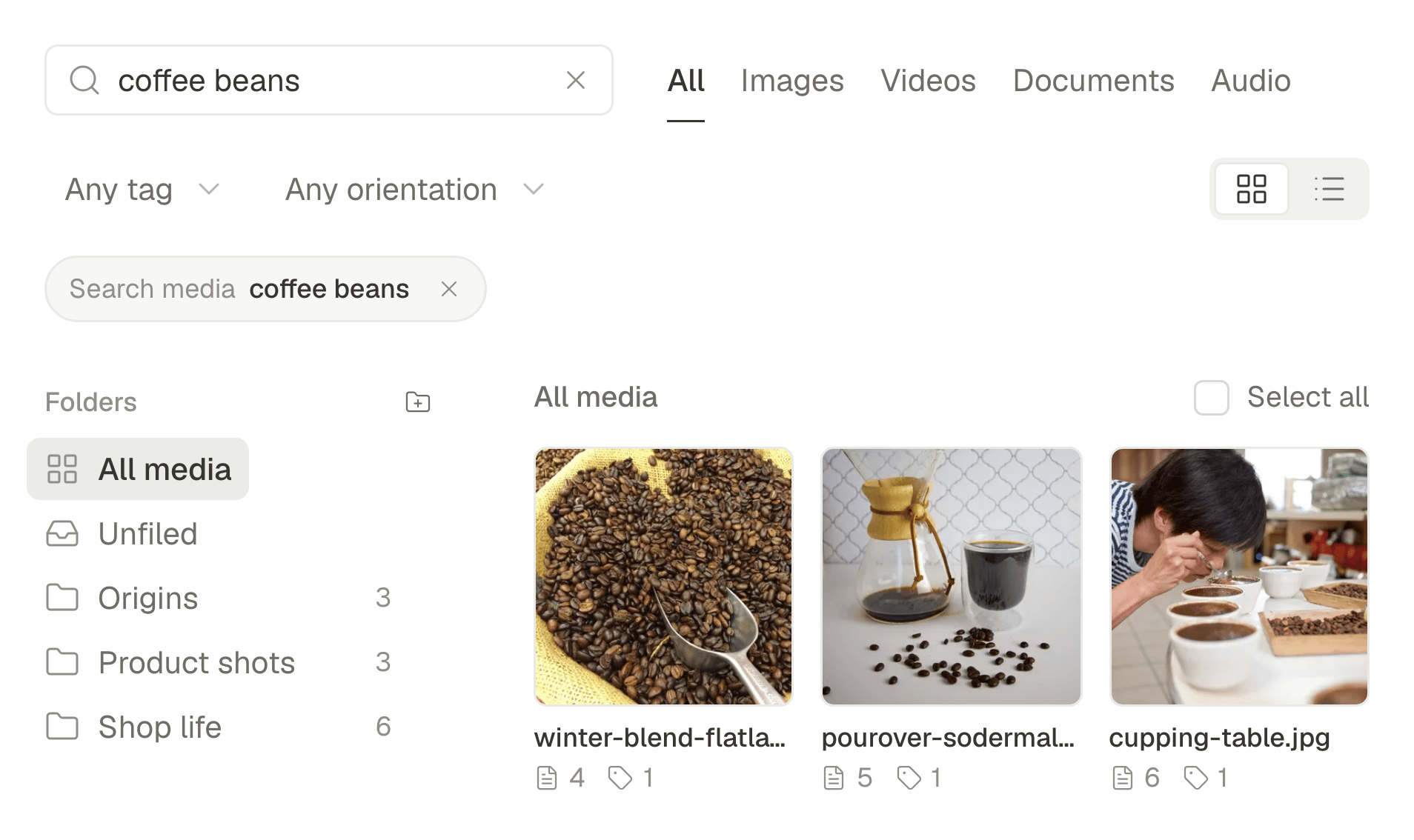
Make a folder for it. In Media, create a folder such as “From customers”, or one for each campaign.
- 2
Create a link that asks for files. Open the folder's menu and choose Request files…. Write what you are asking for, which is what people read when they open the link, choose how long it stays open (7 days, 30 days or for good) and copy the link.
- 3
Send it where people already are. In the thank-you email, as a QR code on the card in the box, in a Story, in your reply to whoever tagged you. They need no account, can add their name, and never see what others sent.
- 4
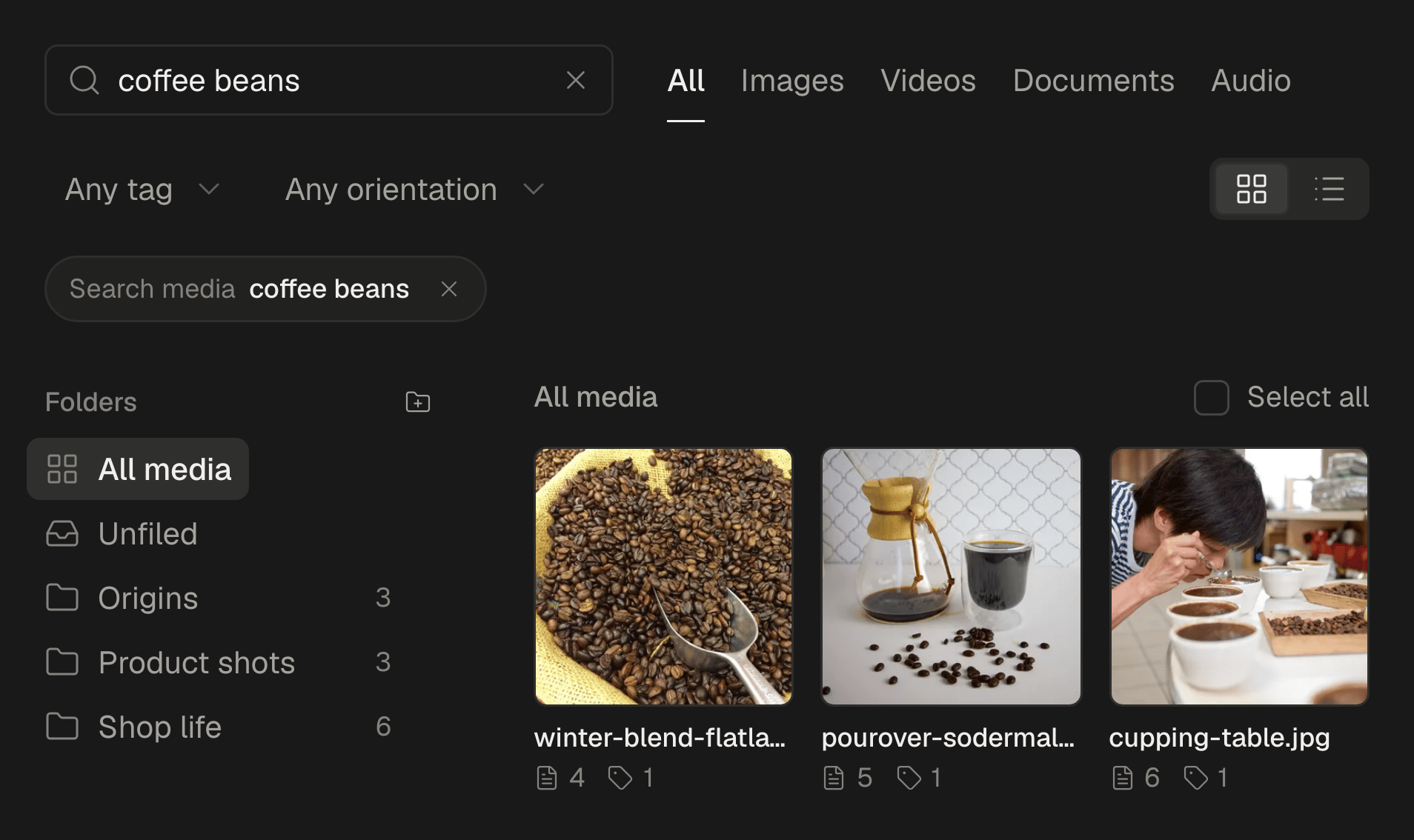
Know when something arrives. SPREVA tells you who sent files, and describes each photo as it arrives, so “the one with the red bag” is a search, not a scroll.
- 5
Close it when you are done. Choose Request files… on the folder again to see how many files came in, or to Disable link.
Post it as your own, with their name on it
Write the post once, with the credit in the first line, then press Adapt to each network and check each tab: a person's handle is often different on each network, so write in each tab the one they use there, or their name. Give each picture its alt text, as you would for your own. Then add the posts to a queue, so a customer's photo goes out every week without anyone having to remember.
Five posts to make from it
A few customer files are enough for a month of posts:
- The customer of the week. One photo, their words, their name.
- A carousel of many hands. Eight customers' photos of the same product, in eight different homes.
- A review as a picture. One sentence from a review and the reviewer's first name, over a photo of what they bought.
- The clip they sent, cut short. The first seconds of an unboxing or a first try, as a Reel, a TikTok and a Short.
- Their question, answered. Something a customer asked in a comment, answered in a post, quoted with their permission.
See whether it works for you
Put customer posts in a campaign of their own. The calendar shows them in the campaign's colour, and in Analytics the Campaign filter shows their reach, engagement and clicks. Filter by your own posts' campaign over the same weeks to see which does better. How to plan and track a social media campaign, from the first post to the results.
What stays in the apps
Reposting someone else's post as it is, with a repost, a Remix, a Stitch or a Duet, happens in each app, and so do the messages where you ask. SPREVA starts from the file: the photo or the video they sent you, posted from your accounts with their name on it.
Start with one link this week
Make a folder, create a Request files… link for it, and send it to the last five customers who said something kind. Every plan starts with a 7-day trial. A media library that knows what is in it.
Questions
A customer tagged me in a post. Can I share it?
Ask first. The tag means they wanted you to see it, not that you may post it on your accounts. A one-line message usually gets a yes the same day.
Do people need an account to send me files?
No. Anyone with the link can send photos and videos into that one folder and add their name if they want. They never see what is already in it.
Which files can they send?
Photos, videos up to 1 GB, audio and PDFs. HEIC photos are not accepted yet, so ask iPhone users to send them as JPEG.
Can I pay people to make content for me?
Yes, and many brands do. Agree in writing on where you may use it and for how long, and say in the caption that it was paid for wherever the rules ask for it.
What if someone asks me to take their photo down?
Take it down the same day, from every network it went to, and delete the file from your library.
Written by
Rodolfo Mota
Founder of SPREVA
Makes SPREVA in Portugal: the Studio, the tools an agent works with, and the publishing behind them.
Keep reading
- A media library that knows what is in itFolders and file names stop working at about a hundred files. What SPREVA does instead: every upload described and tagged as it arrives, videos transcribed, alt text suggested, and a search that understands “the window at dusk”.
- How to plan and track a social media campaign, from the first post to the resultsPlan a social media campaign and track it: one goal, a set of posts across networks, a label that follows them to the calendar and Analytics, and a fair read.
- How to add alt text to your social media images, network by networkAlt text tells people who use a screen reader what your picture shows. How to write it, which networks receive it from SPREVA, and where to add it by hand.